On the “Assistance” page you find a virtual assistant that answers straight away, at any time, about your accounts and the app. If its answer is not enough, it opens a request for you and a support agent replies. Here you see how to chat and how to follow your requests.
- 11
Open Assistance from your Profile
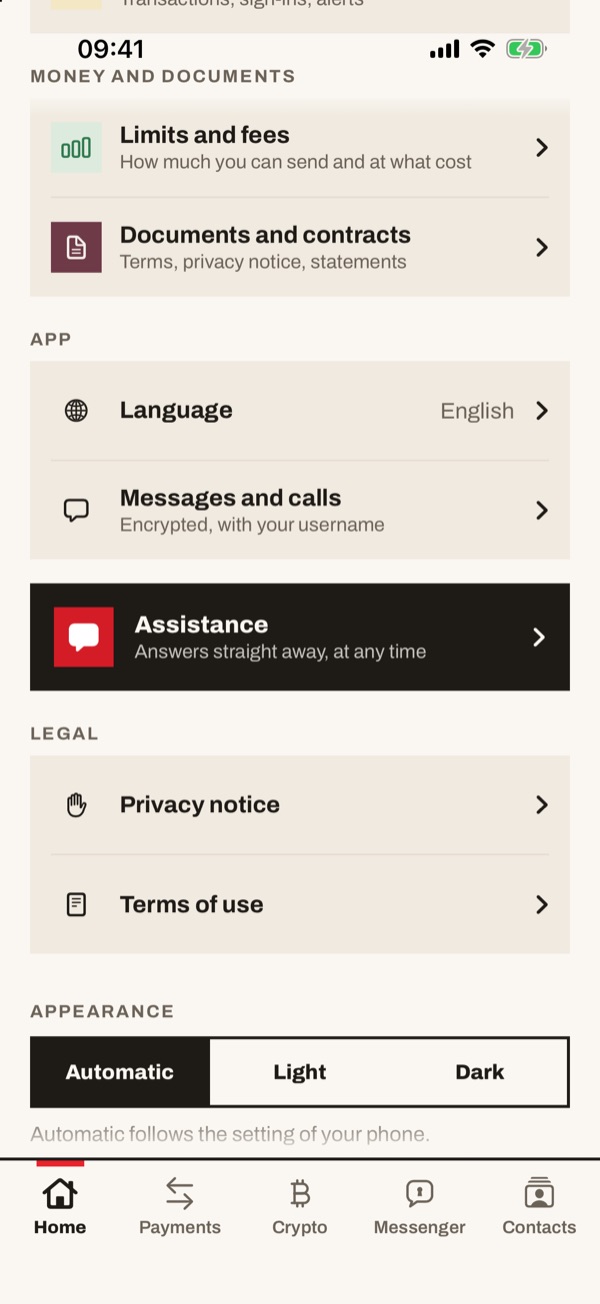
In your Profile scroll down and tap the dark “Assistance” box, with the words “Answers straight away, at any time”.
- 22
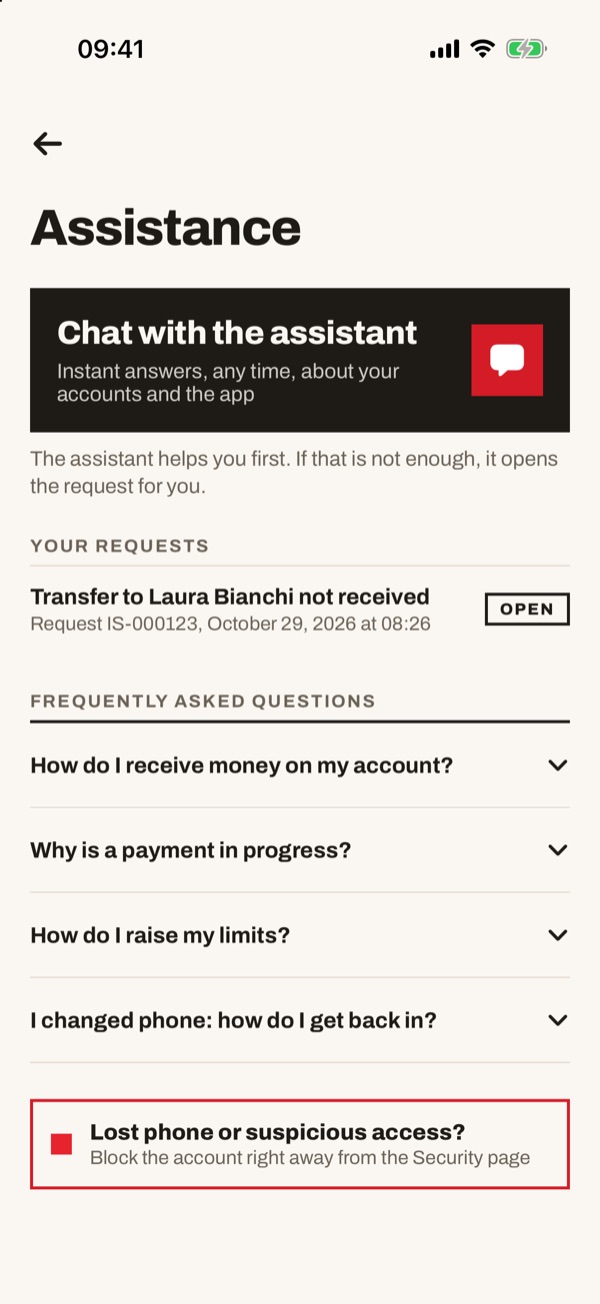
The Assistance page
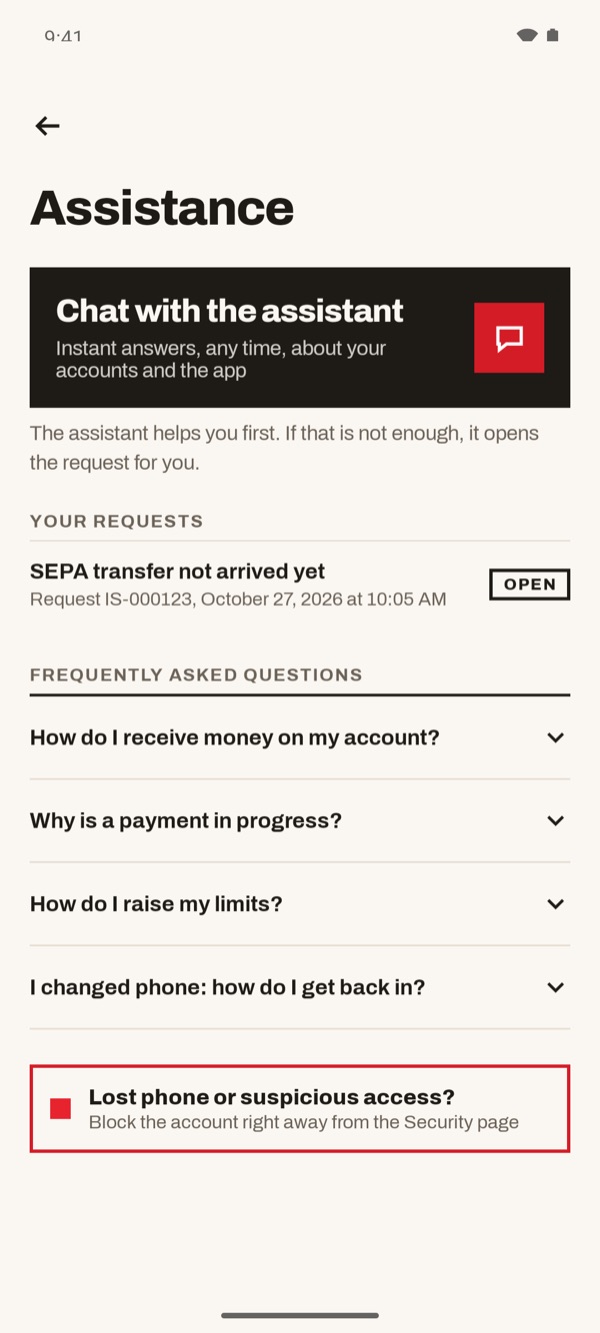
At the top is “Chat with the assistant”. Below, in “Your requests”, you find the requests already open with number, date and status (for example “OPEN”). Further down are the “Frequently asked questions”: tap a question to open the answer.
- 33
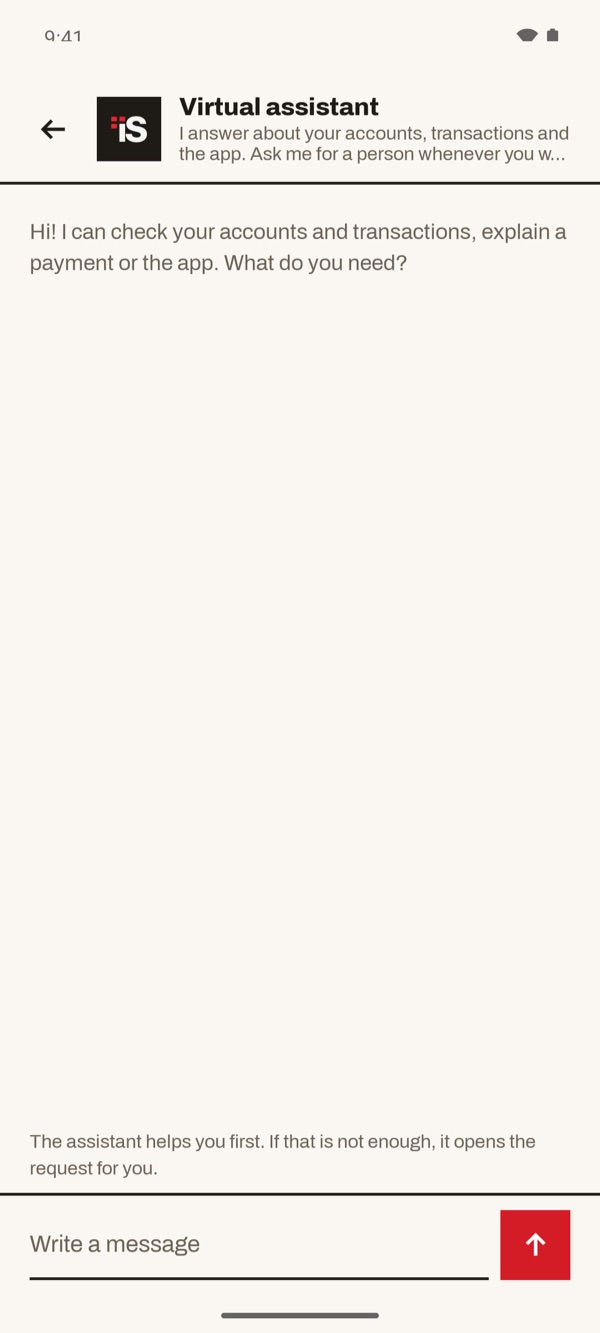
Open the chat with the assistant
Tap “Chat with the assistant”. The virtual assistant greets you and asks what you need. Type in the “Write a message” field and tap the red arrow to send.
- 44
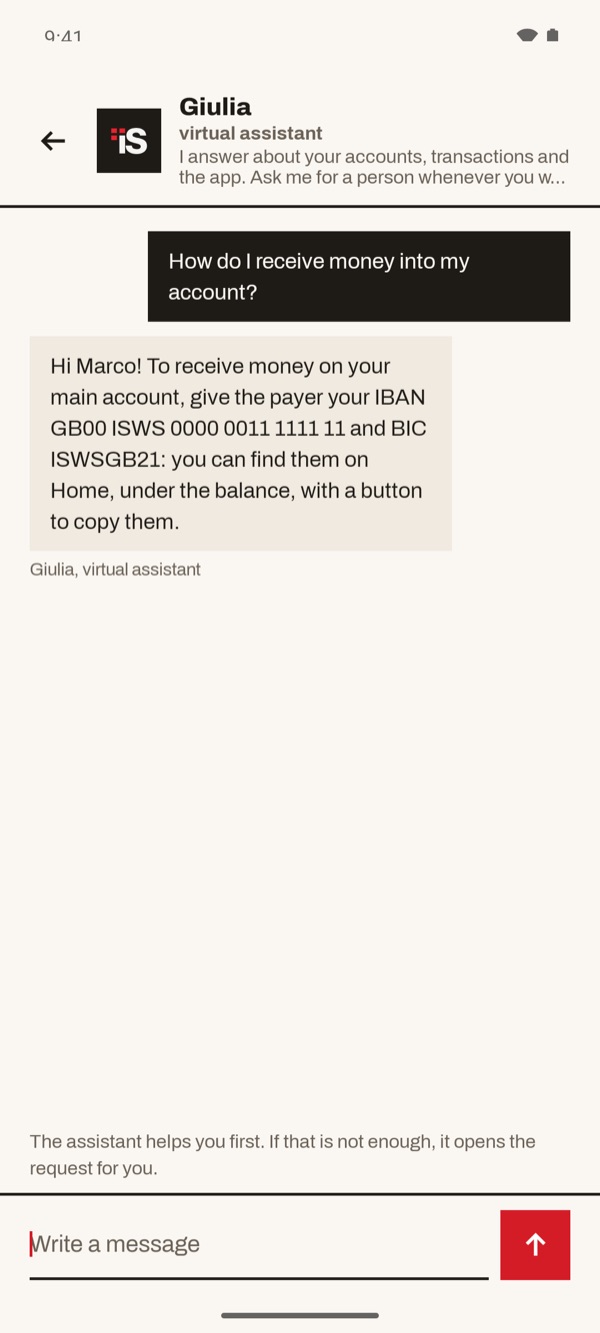
Ask your question
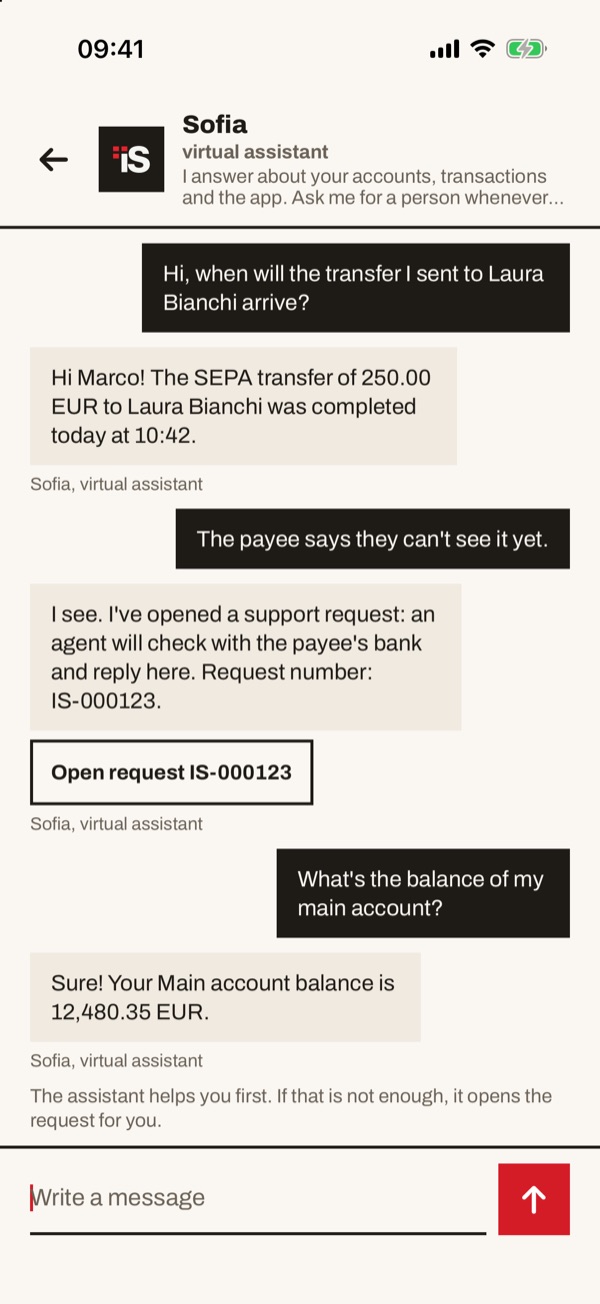
Write your question in your own words, for example about a transfer or the balance of an account. The assistant answers straight away in the chat.
- 55
If that's not enough, ask for a person
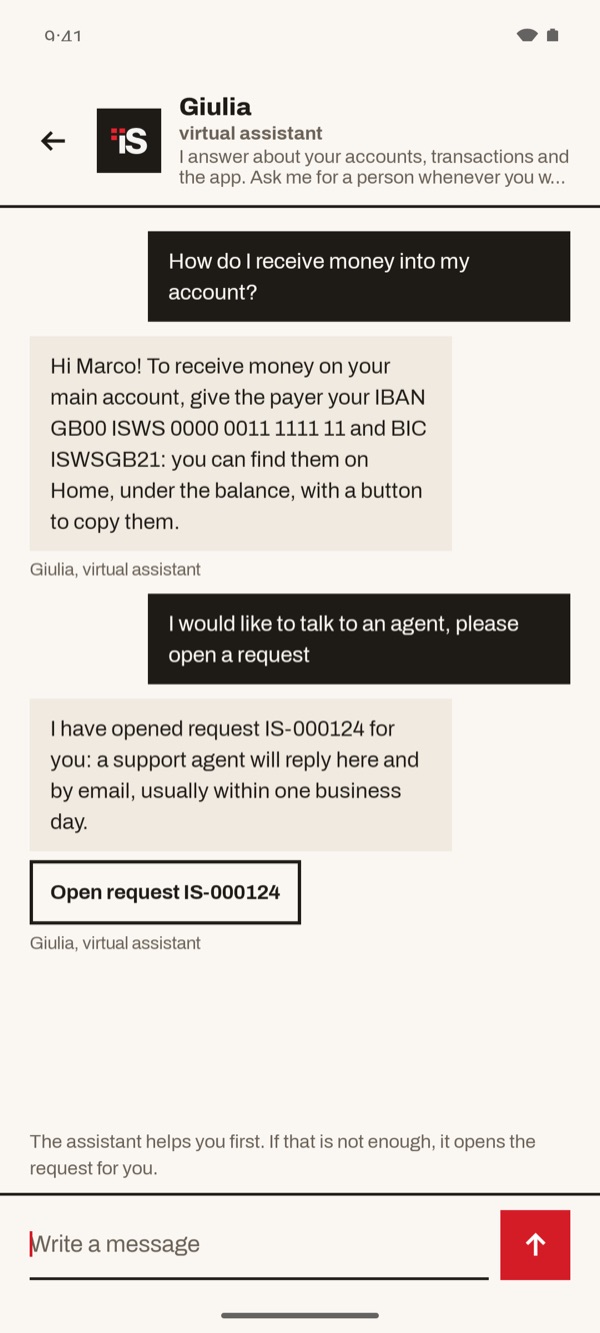
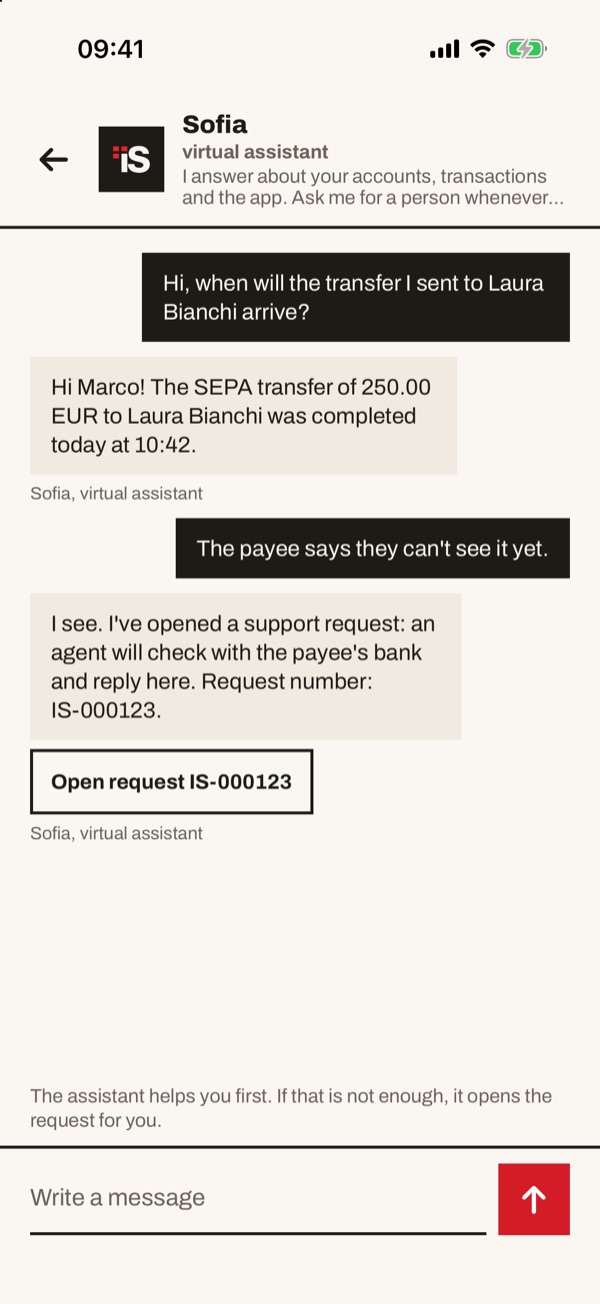
If the answer is not enough, say so or ask to talk to an agent. The assistant opens the request for you and gives you its number. Tap “Open request” to see it.
- 66
The open request
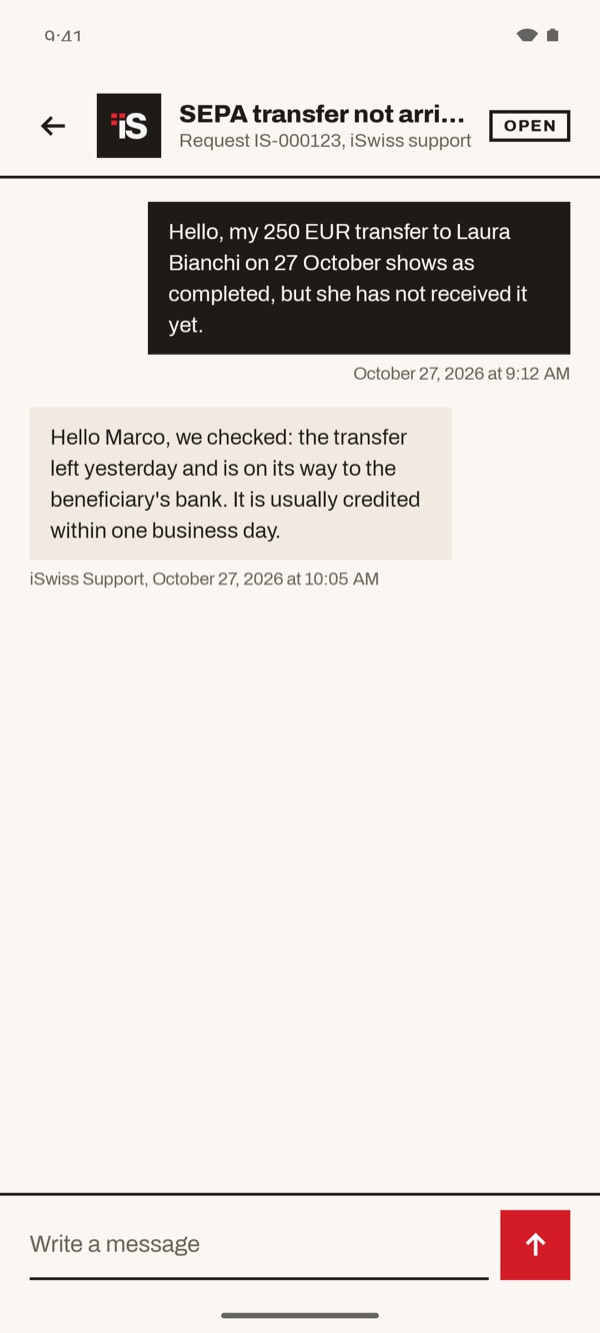
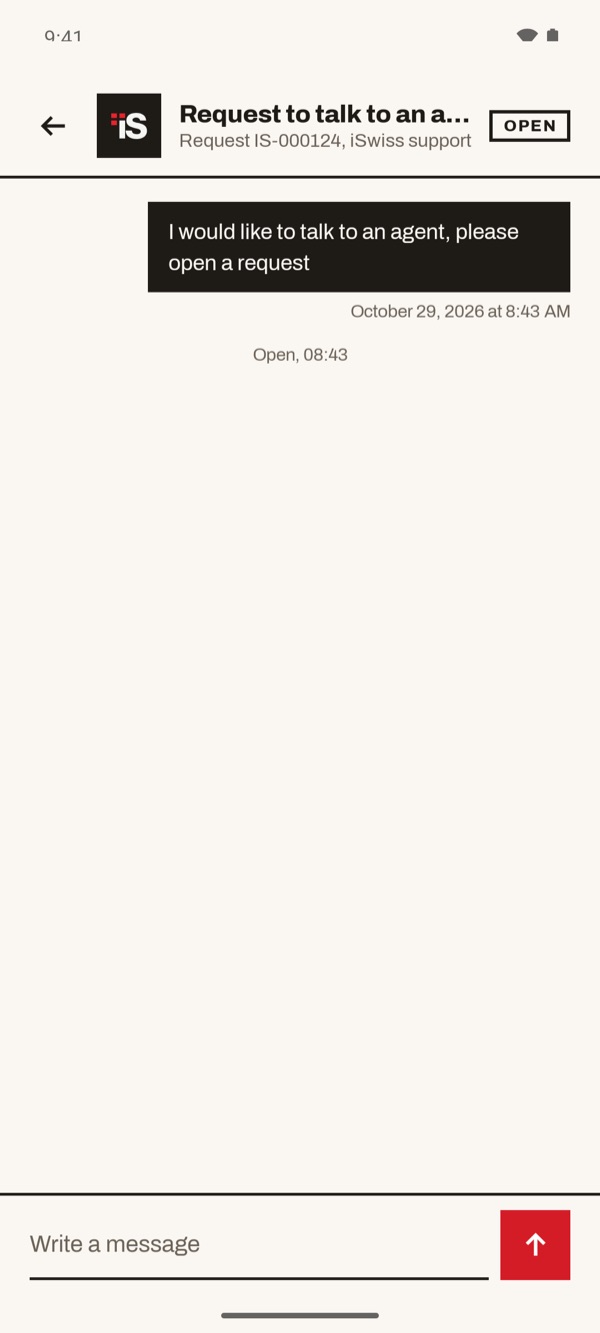
At the top you see the title of the request, its number and the status “OPEN”. Below is your message with date and time. You can add more from the “Write a message” field.
- 77
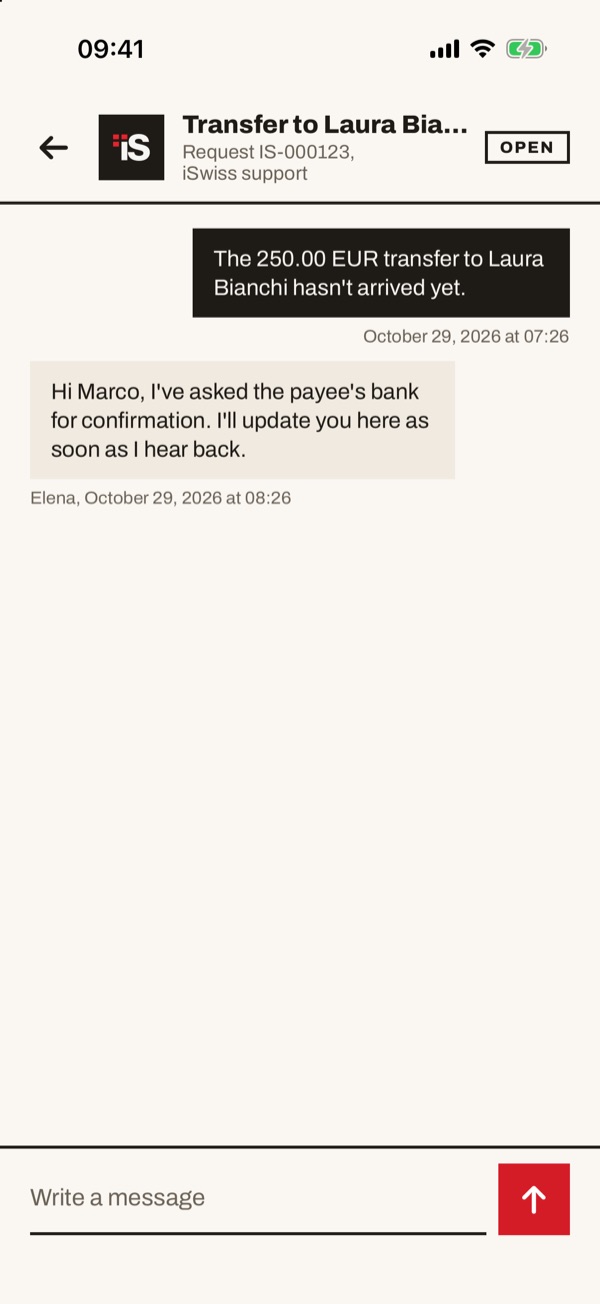
Read the agent's reply
When the agent replies, you find their message in the request, with name, date and time. You can reply from here. You find the request again in “Your requests” on the Assistance page.