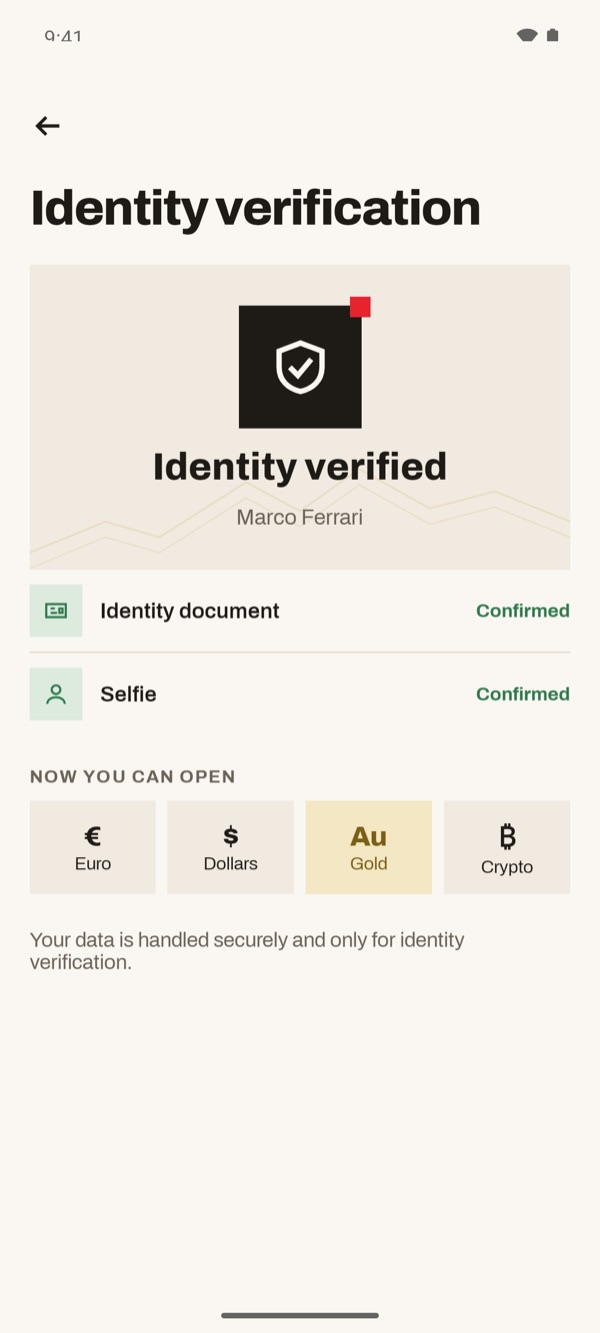
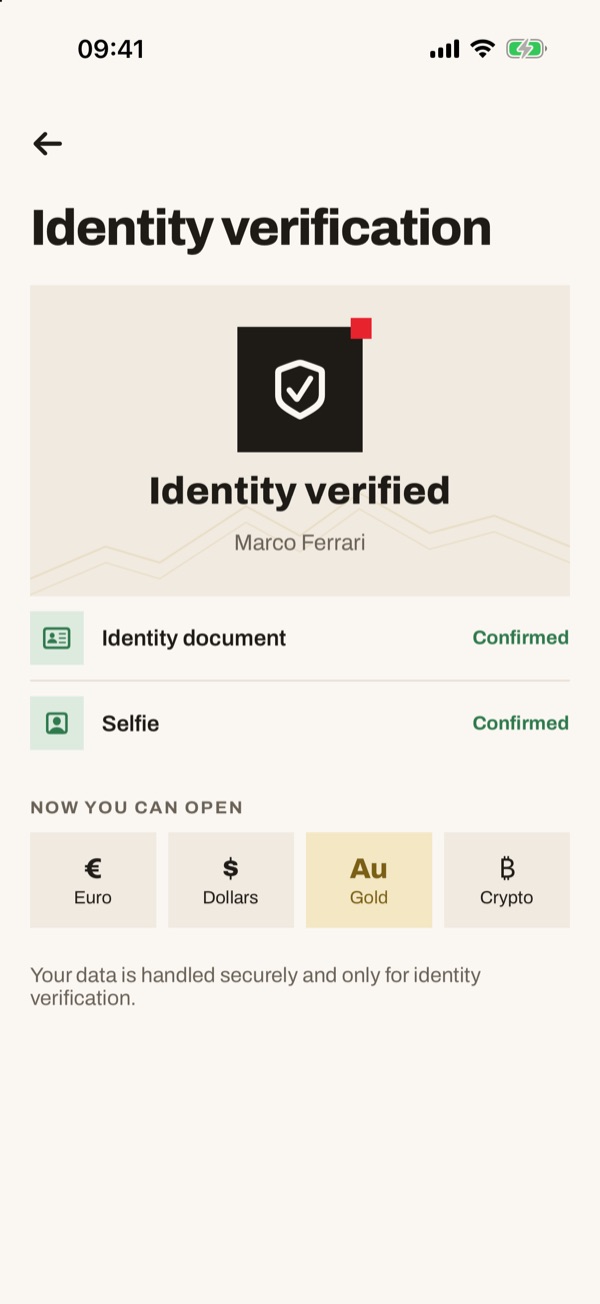
Here you see how to sign in to the app with your email, password and confirmation code. Then you learn how to verify your identity: you need it to open accounts and send money. All you need is a valid ID document and a selfie.
- 11
Open the sign-in screen
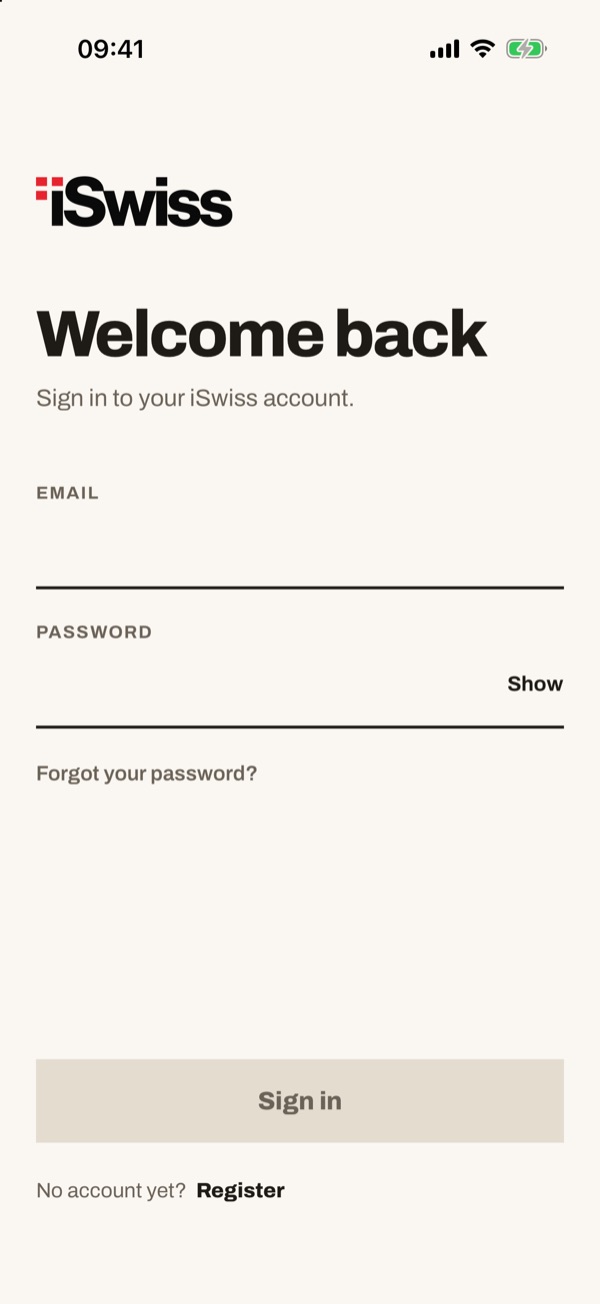
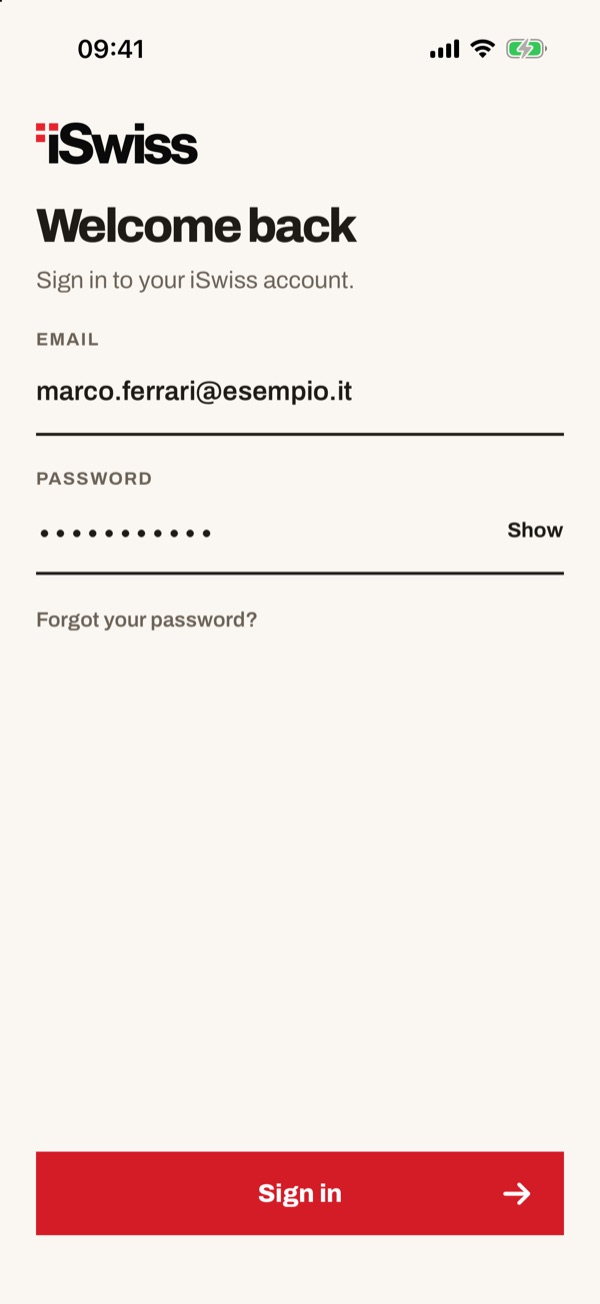
Open the app. You see the “Welcome back” screen with the “EMAIL” and “PASSWORD” fields. If you don't have an account yet, tap “Register”.
- 22
Enter your email and password
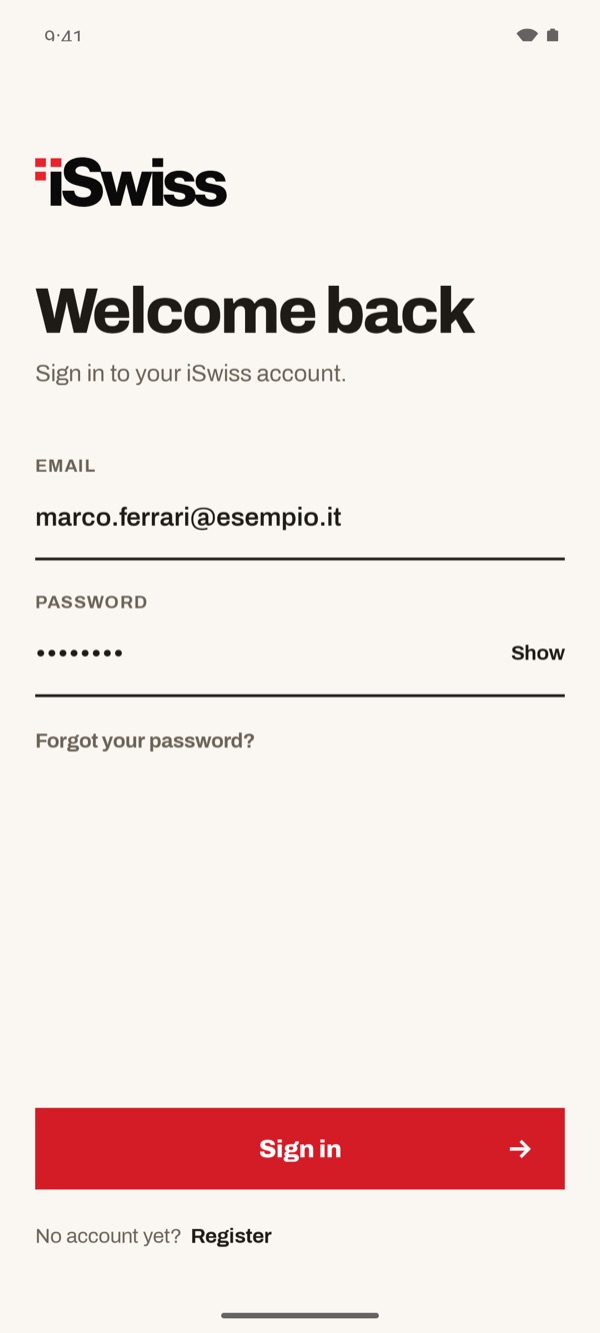
Type the email and password of your account. To see the password you typed, tap “Show”. Then tap “Sign in”.
- 33
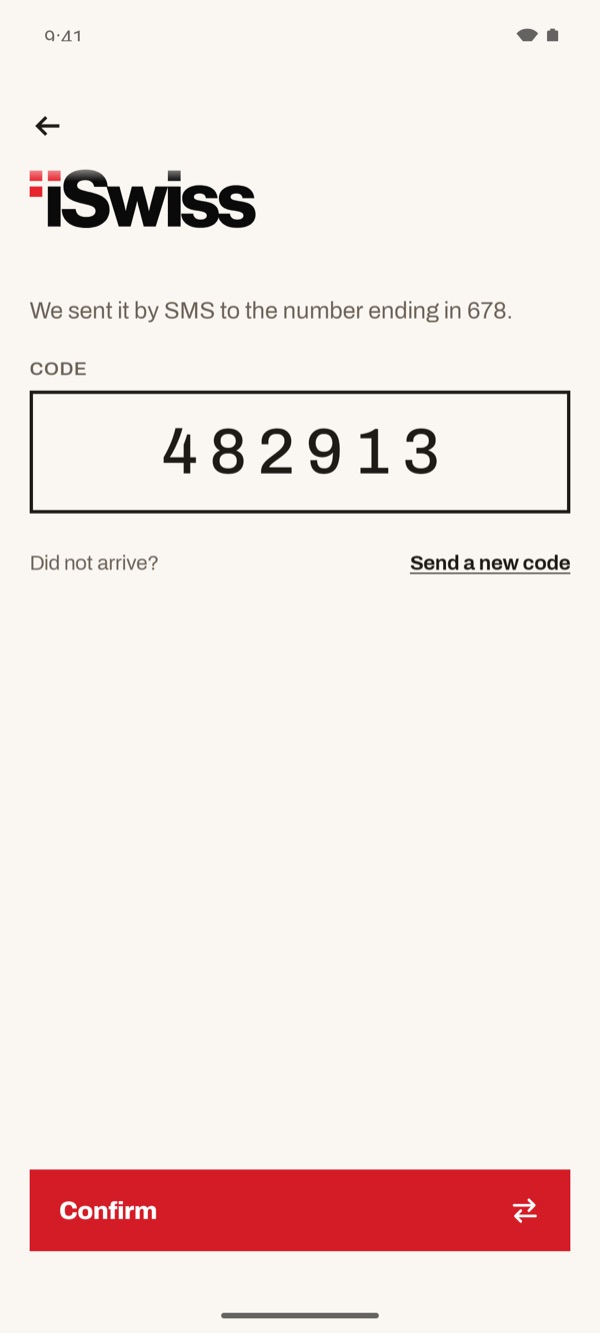
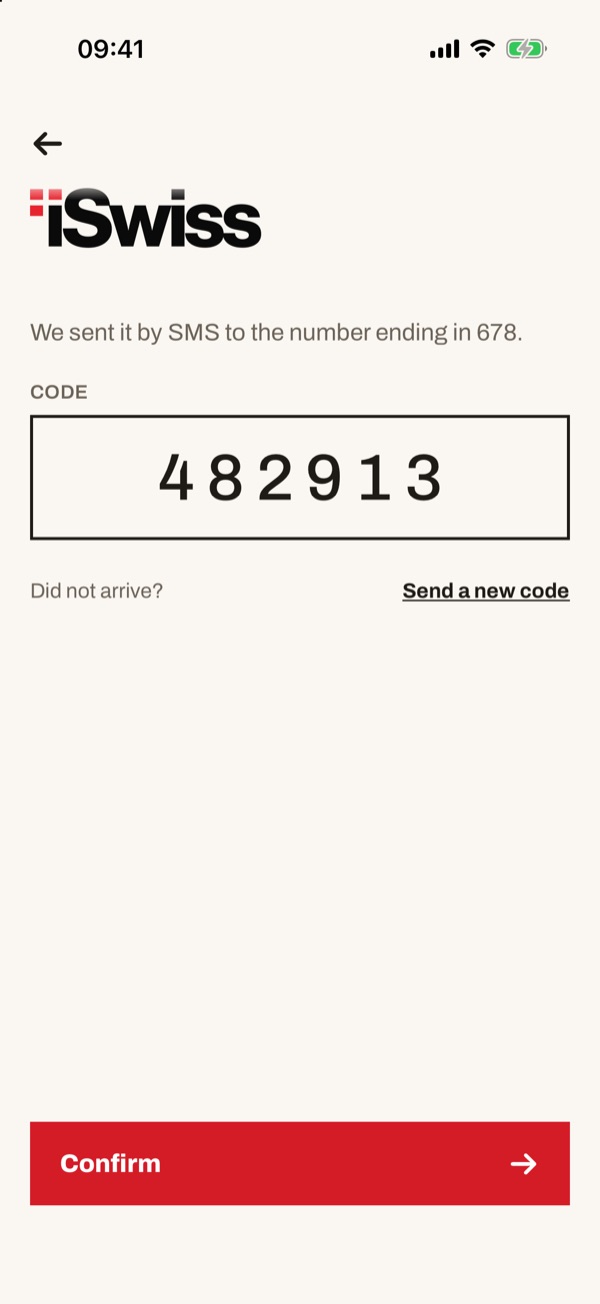
Enter the confirmation code
We send a six-digit code by SMS to your phone number. Type it in the “CODE” field and tap “Confirm”. If it doesn't arrive, tap “Send a new code”.
- 44
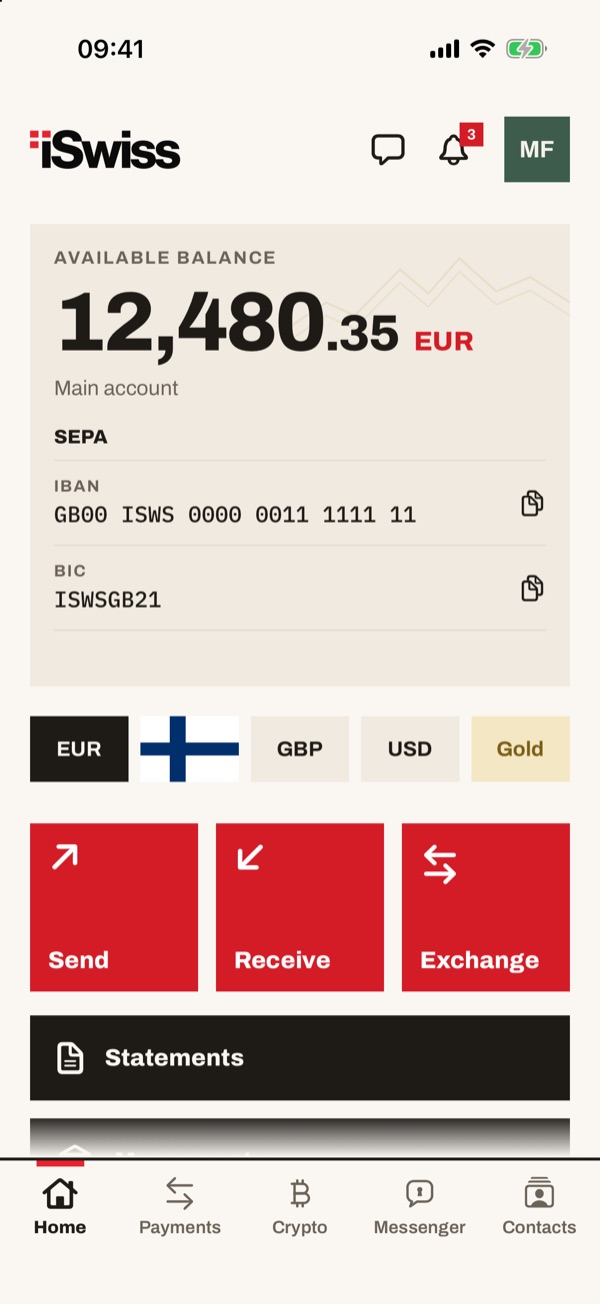
You are in Home
You are now in the app and you see your account balance. To open your profile, tap the box with your initials, at the top right.
- 55
Open identity verification
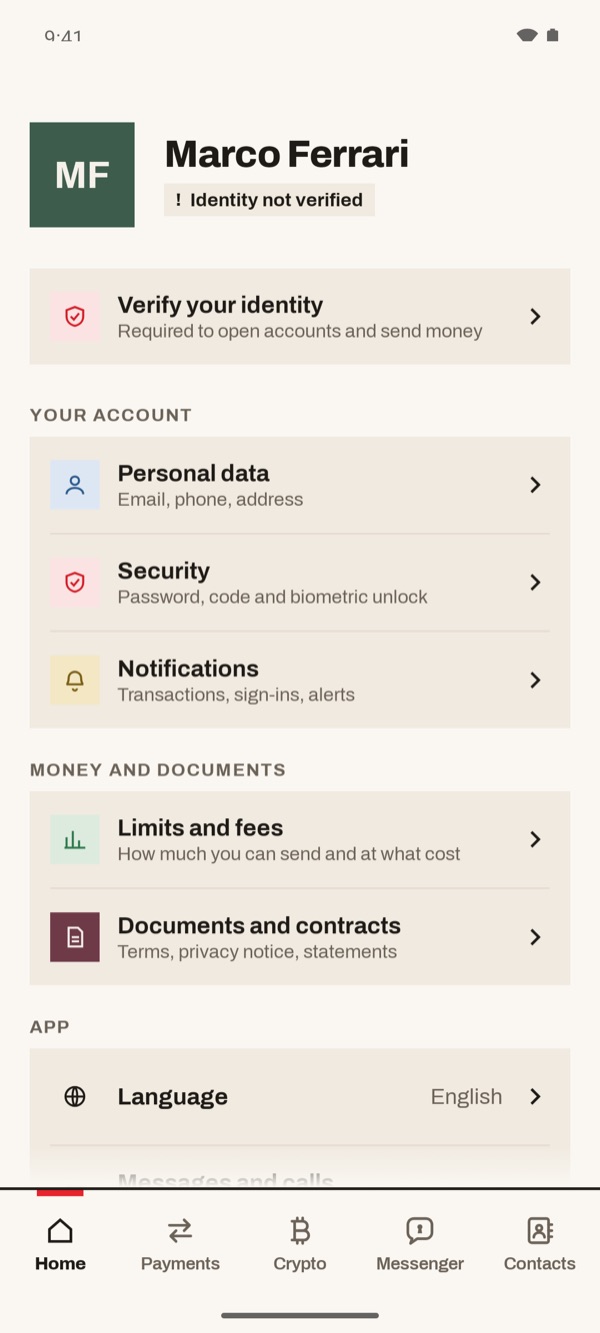
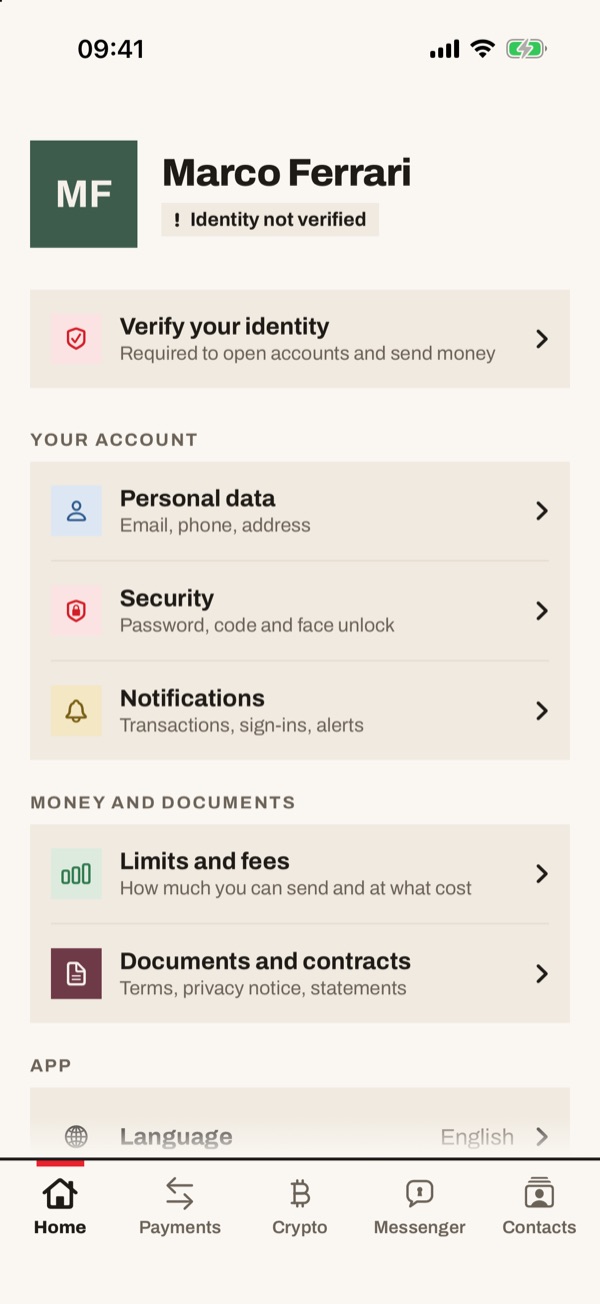
In your profile, under your name, you see “Identity not verified”. Tap “Verify your identity”.
- 66
Get ready
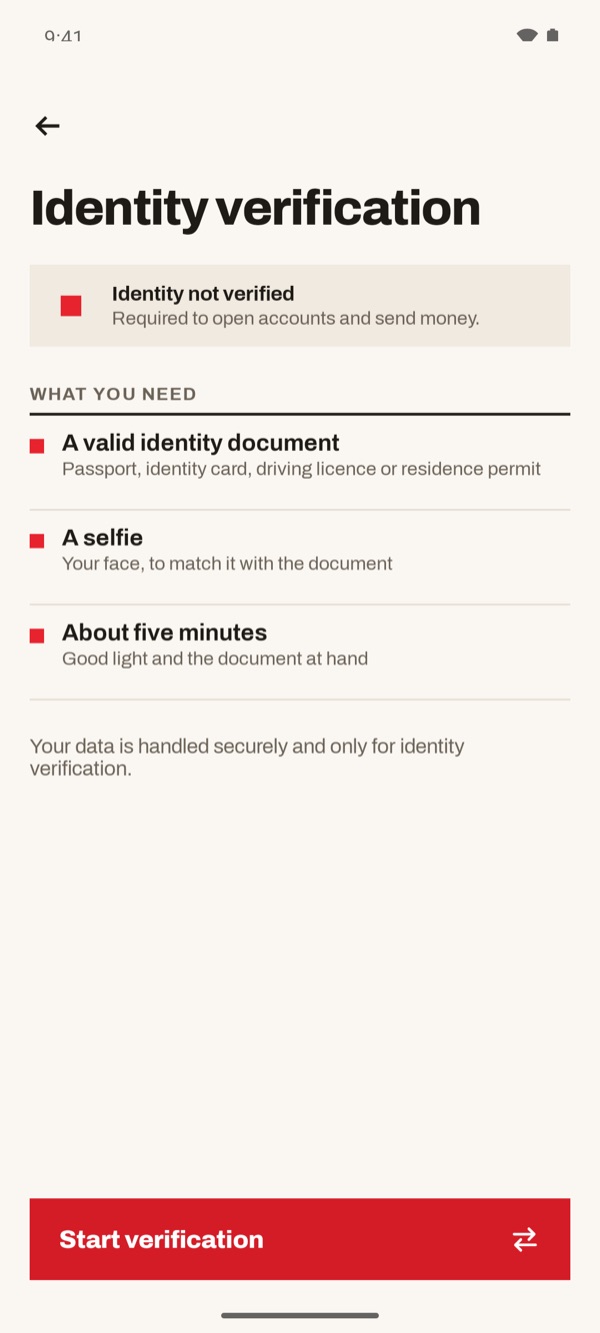
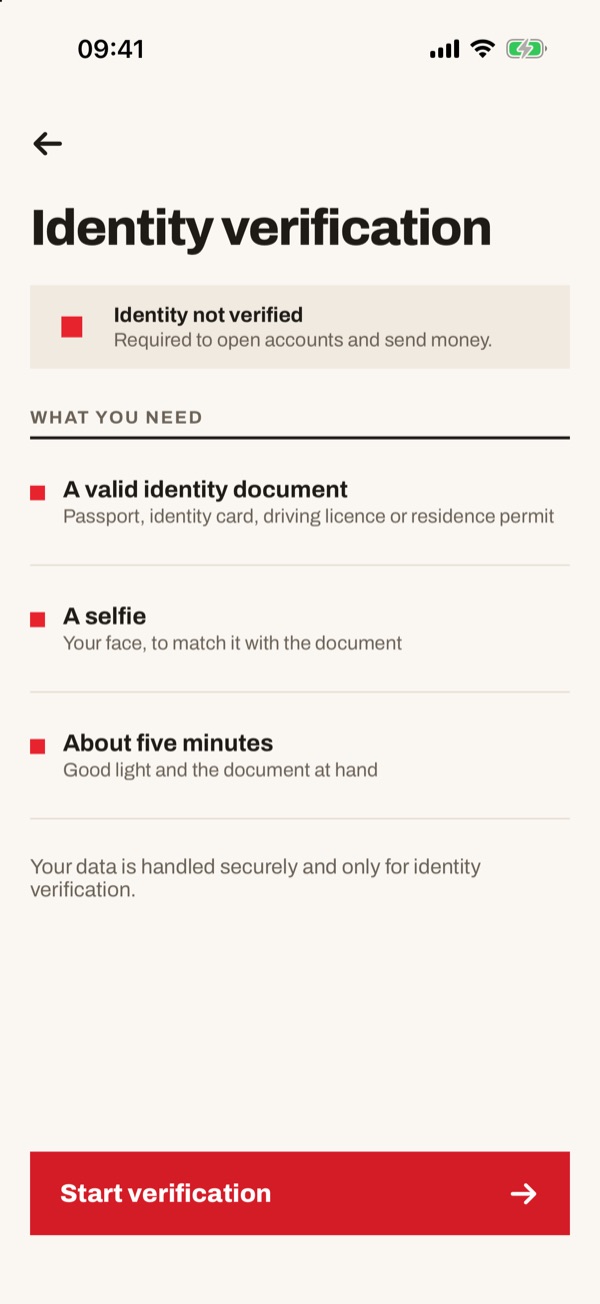
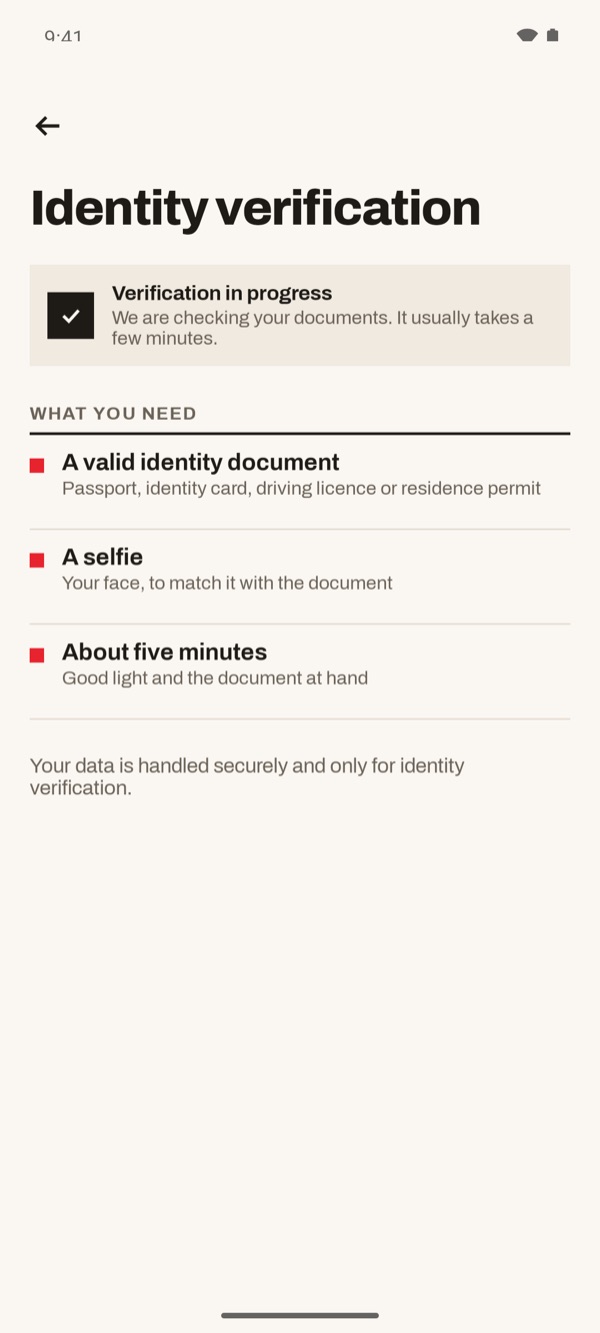
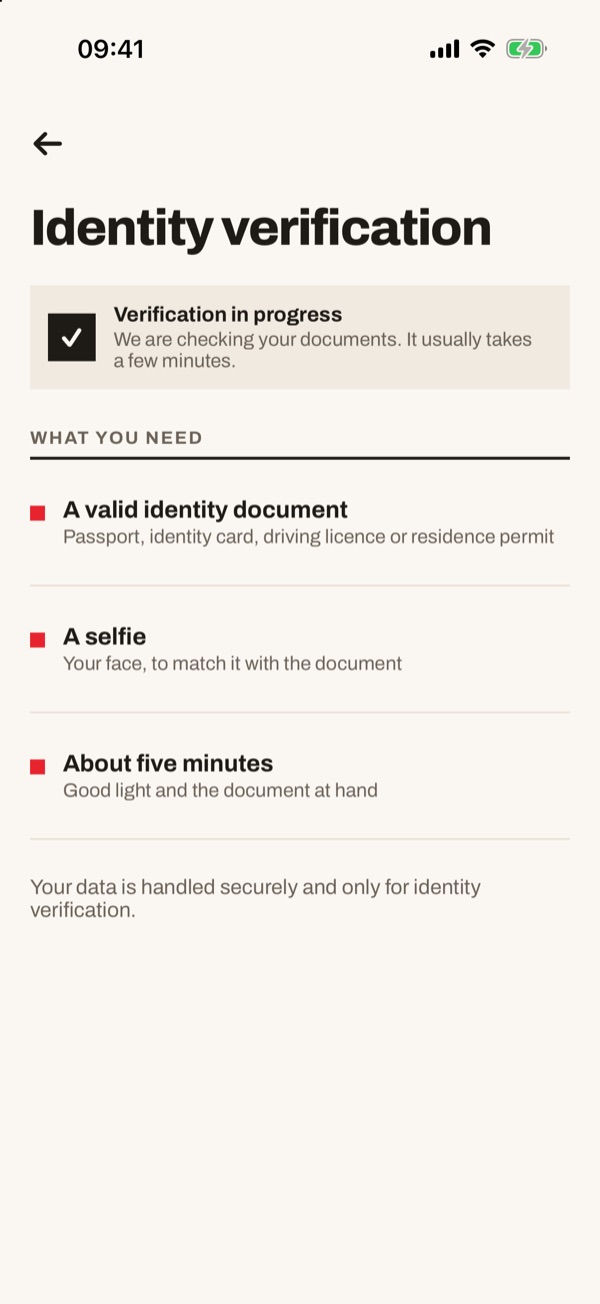
The “Identity verification” page tells you what you need: a valid ID document (passport, identity card, driving licence or residence permit), a selfie and about five minutes. Find a place with good light and keep your document at hand, then tap “Start verification”.
- 77
Wait for the check
When you have finished you see “Verification in progress”: we are checking your documents. It usually takes a few minutes.
- 88
Identity verified
When the check is over you see “Identity verified”, with “Identity document” and “Selfie” marked as “Confirmed”. Under “NOW YOU CAN OPEN” you find Euro, Dollars, Gold and Crypto.