The bell tells you when you receive money or when a payment is made. Here you see how to read your alerts, open the related transaction and choose which alerts you get: on your phone, by email or by SMS.
- 11
Tap the bell
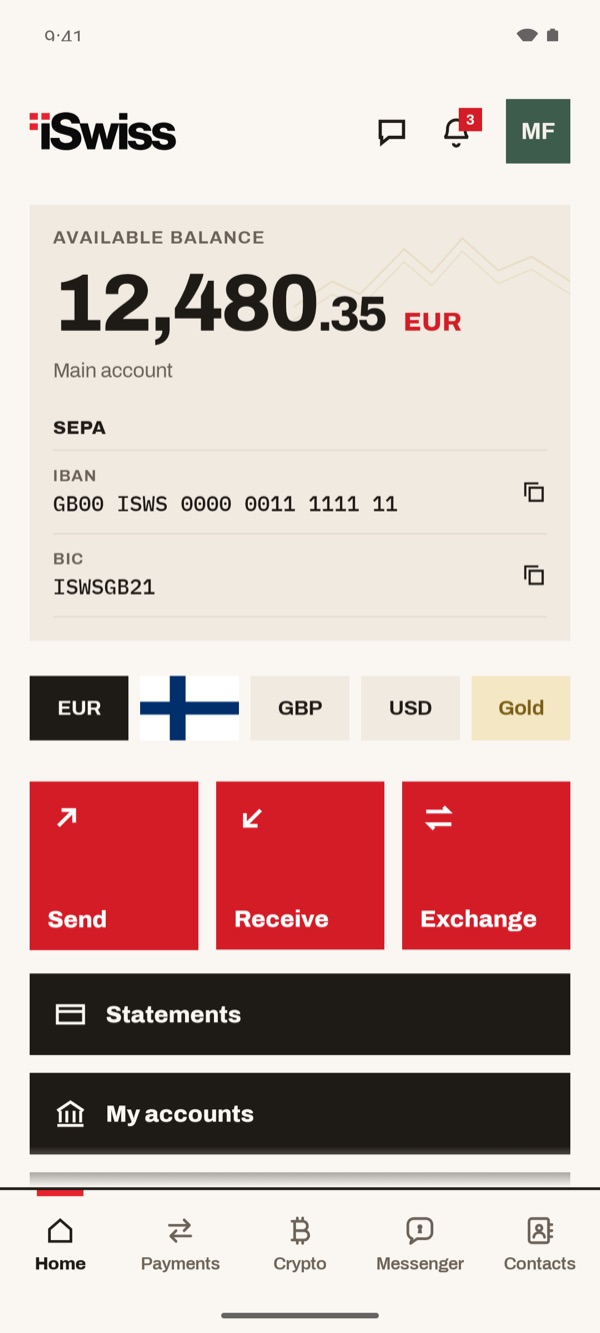
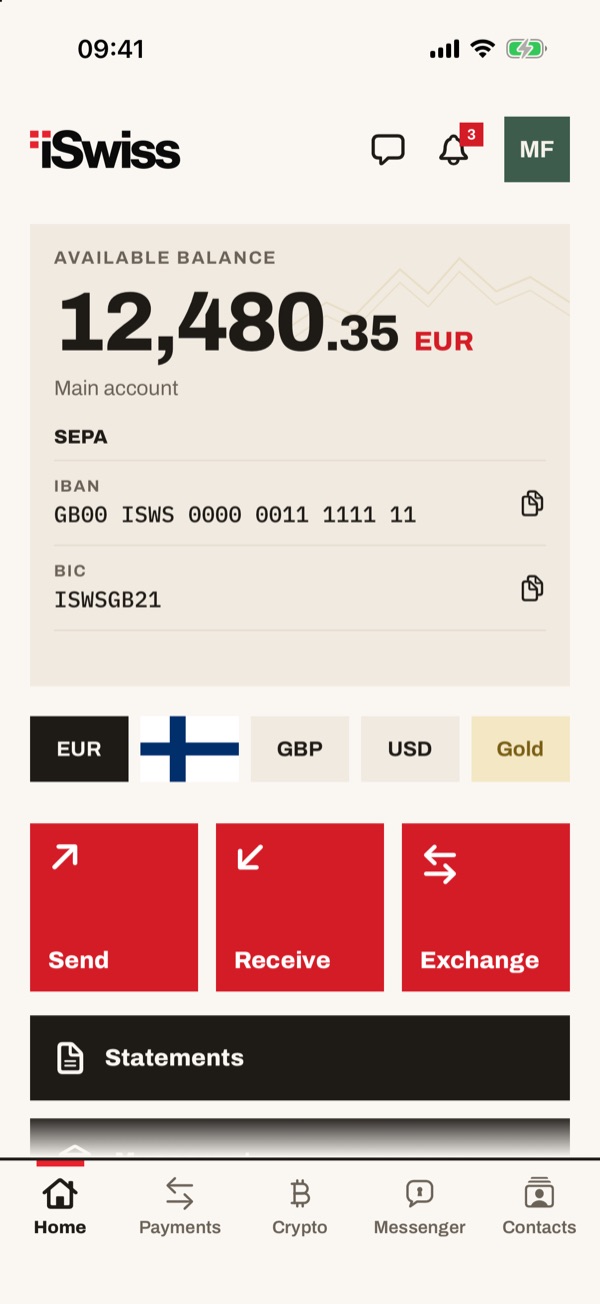
In Home, at the top right, there is the bell. The red number shows how many alerts you haven't read yet. Tap it to open your notifications.
- 22
Scroll through your alerts
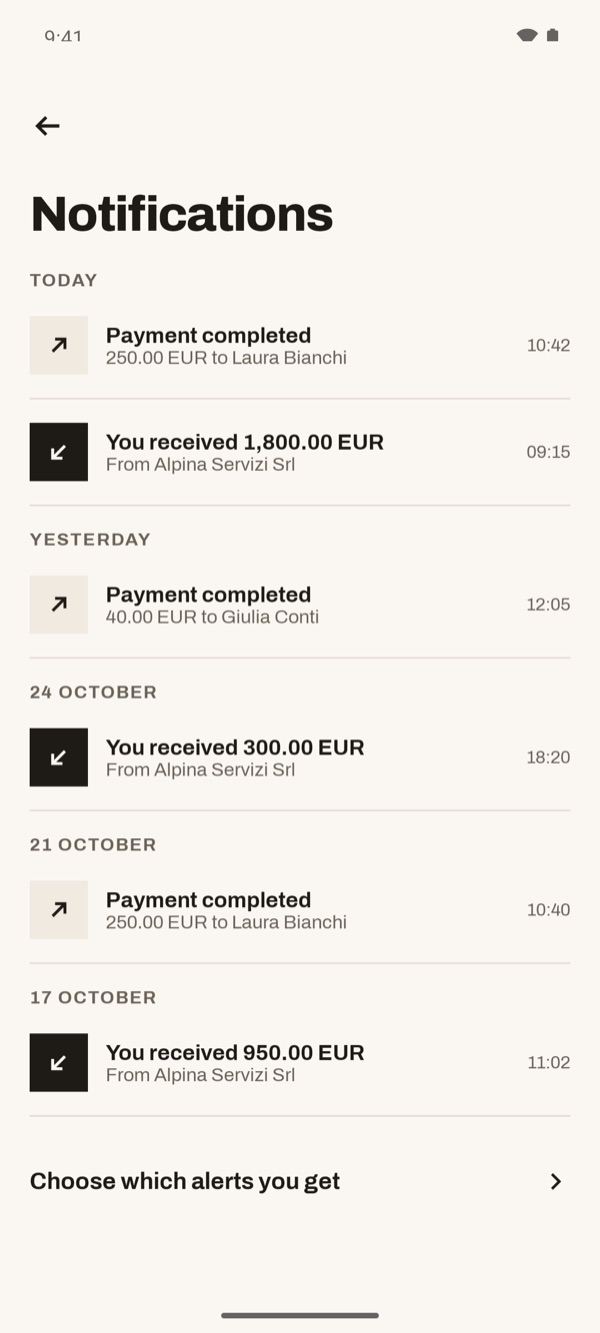
Alerts are grouped by day: “TODAY”, “YESTERDAY” and earlier dates. For each one you see what happened, the amount, the person or company and the time. The up arrow means a payment made, the down arrow money received.
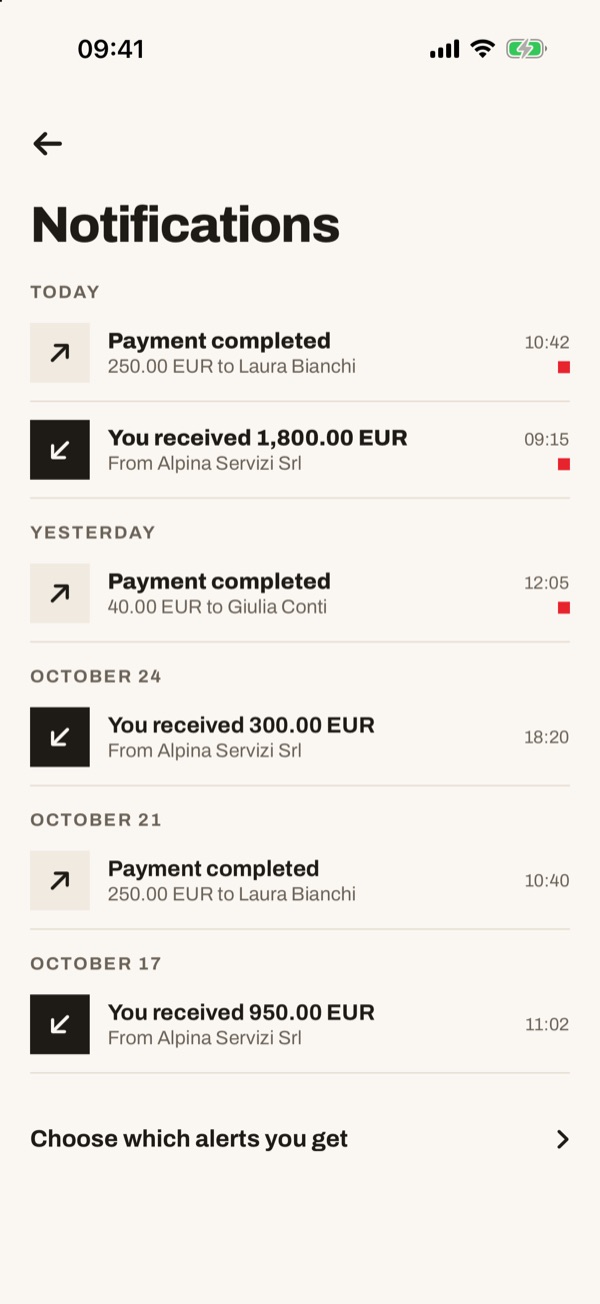
Alerts are grouped by day: “TODAY”, “YESTERDAY” and earlier dates. For each one you see what happened, the amount, the person or company and the time. The up arrow means a payment made, the down arrow money received. The small red square next to the time marks the alerts you haven't read yet.
- 33
Open an alert
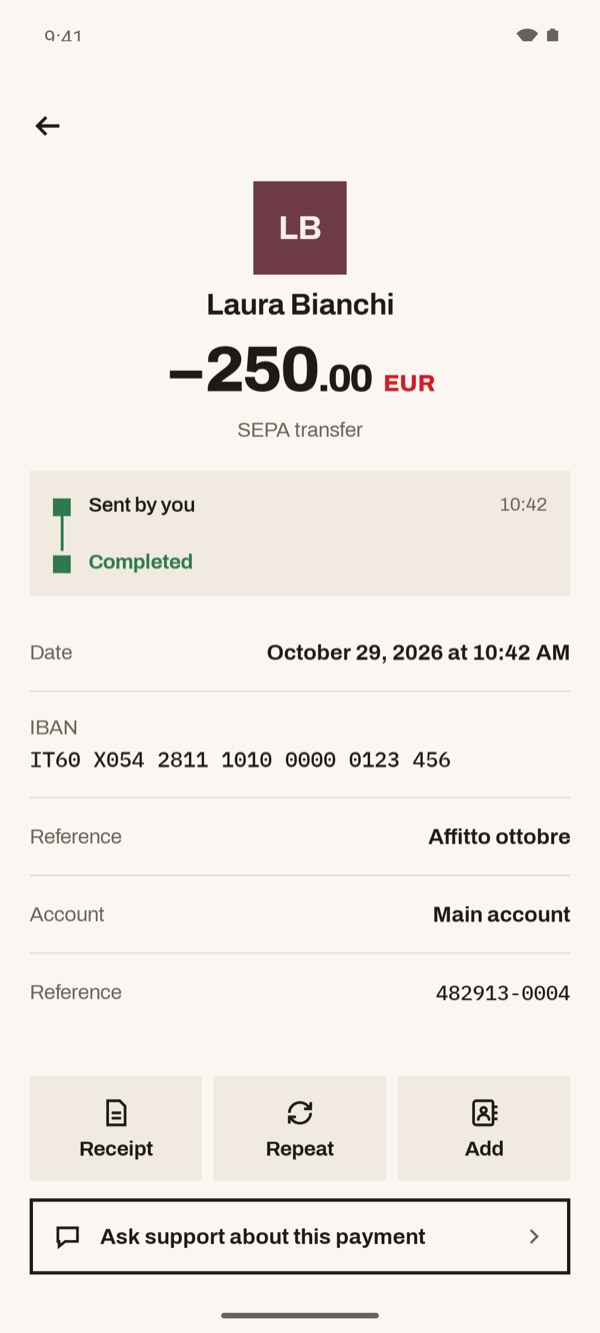
Tap an alert to see the transaction details: amount, status, date, IBAN, reference text, account and reference. From here you can tap “Receipt”, “Repeat” or “Add”. If something doesn't look right, tap “Ask support about this payment”.
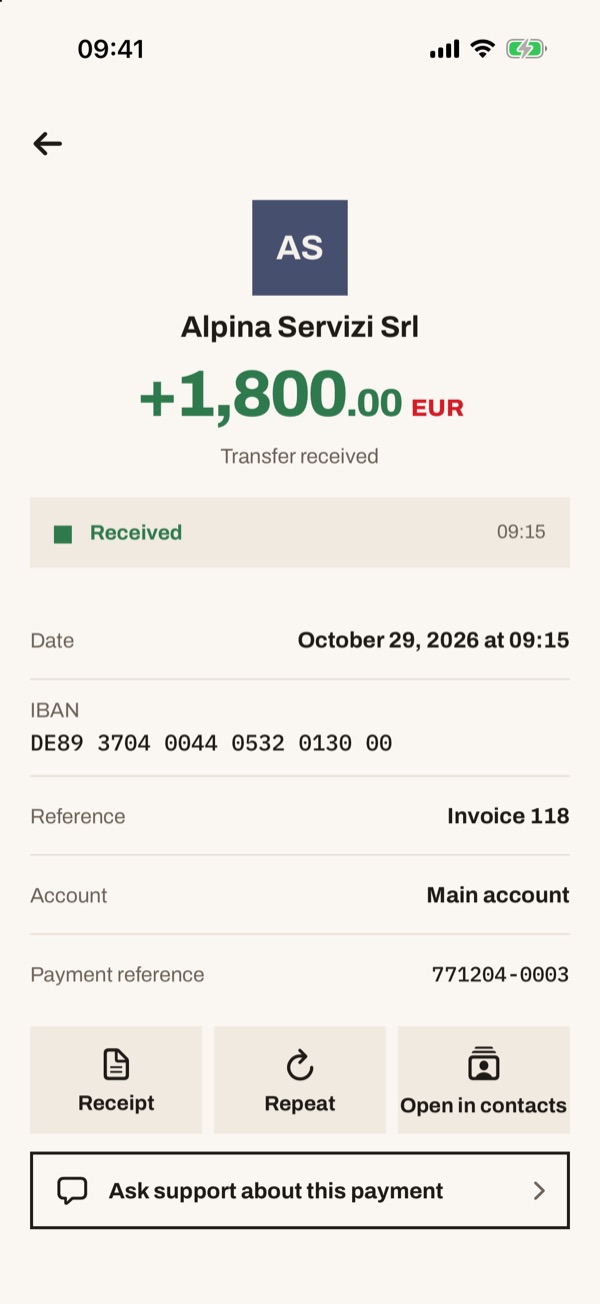
Tap an alert to see the transaction details: amount, status, date, IBAN, reference text, account and reference. From here you can tap “Receipt”, “Repeat” or “Open in contacts”. If something doesn't look right, tap “Ask support about this payment”.
- 44
Choose which alerts you get
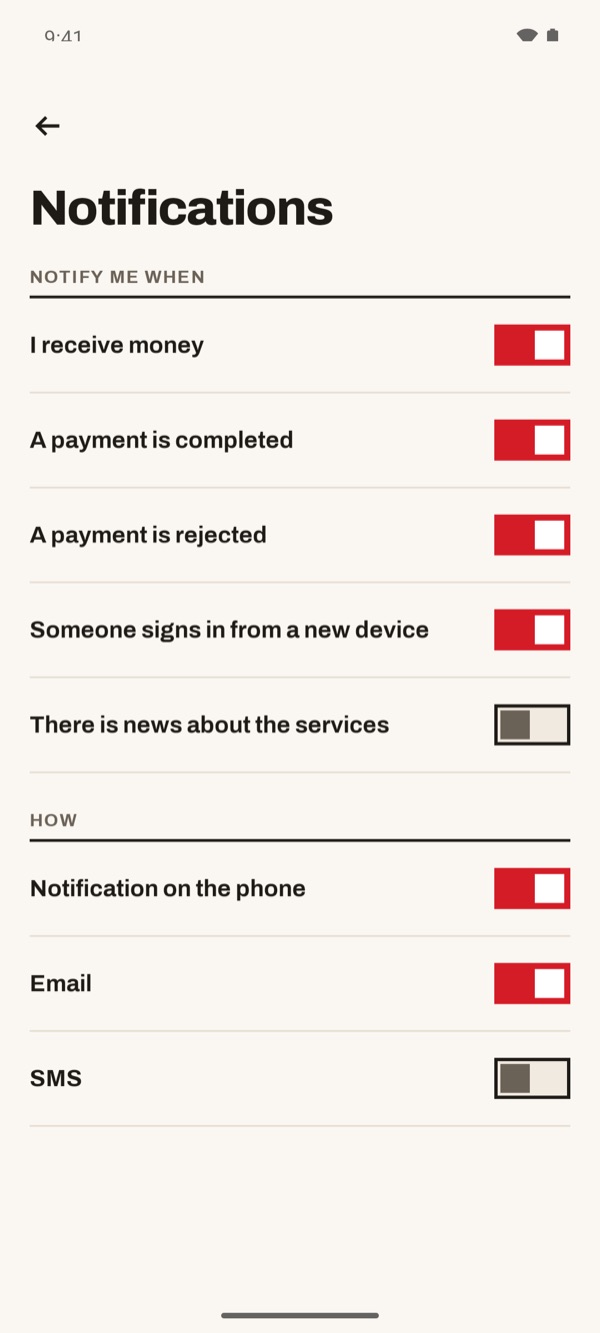
At the bottom of the list tap “Choose which alerts you get”. Under “NOTIFY ME WHEN” turn the switches on or off: you receive money, a payment is made or rejected, someone signs in from a new device, there is news about the services. Under “HOW” choose “Notification on the phone”, “Email” or “SMS”.
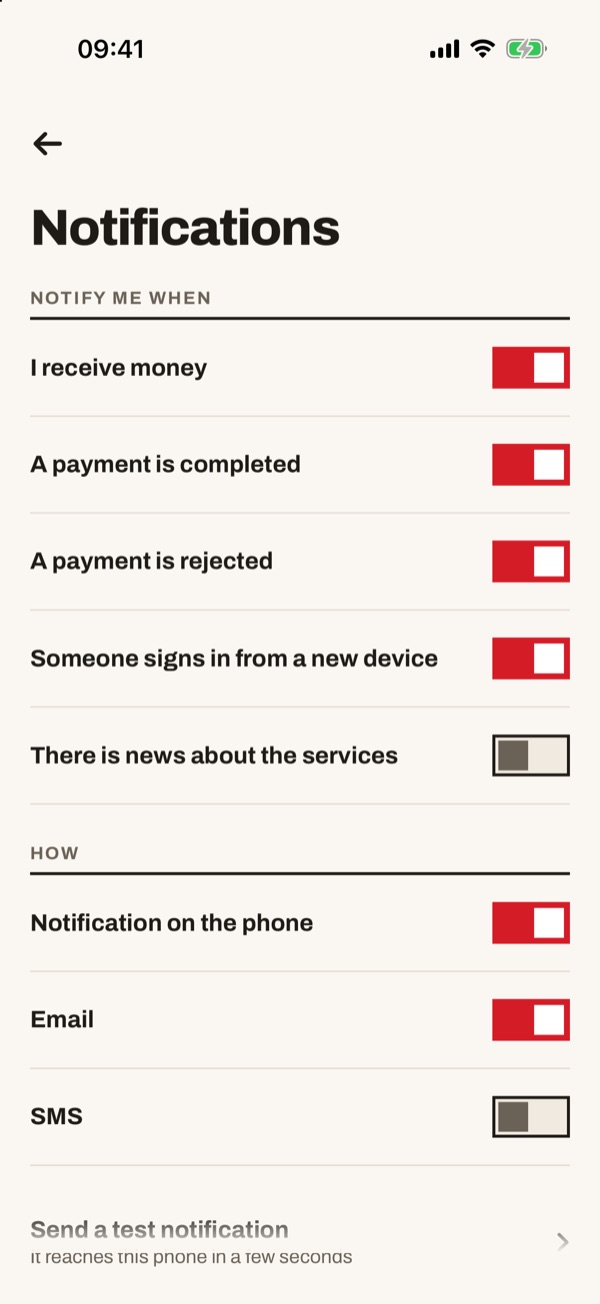
At the bottom of the list tap “Choose which alerts you get”. Under “NOTIFY ME WHEN” turn the switches on or off: you receive money, a payment is made or rejected, someone signs in from a new device, there is news about the services. Under “HOW” choose “Notification on the phone”, “Email” or “SMS”. To try it, tap “Send a test notification”: it reaches this phone in a few seconds.