From the gold account you can buy physical gold and pay from your account. You can leave it in custody in your name or choose bars to be shipped to your home. Before you confirm you see the price per gram and how much you pay.
- 11
Open the gold account
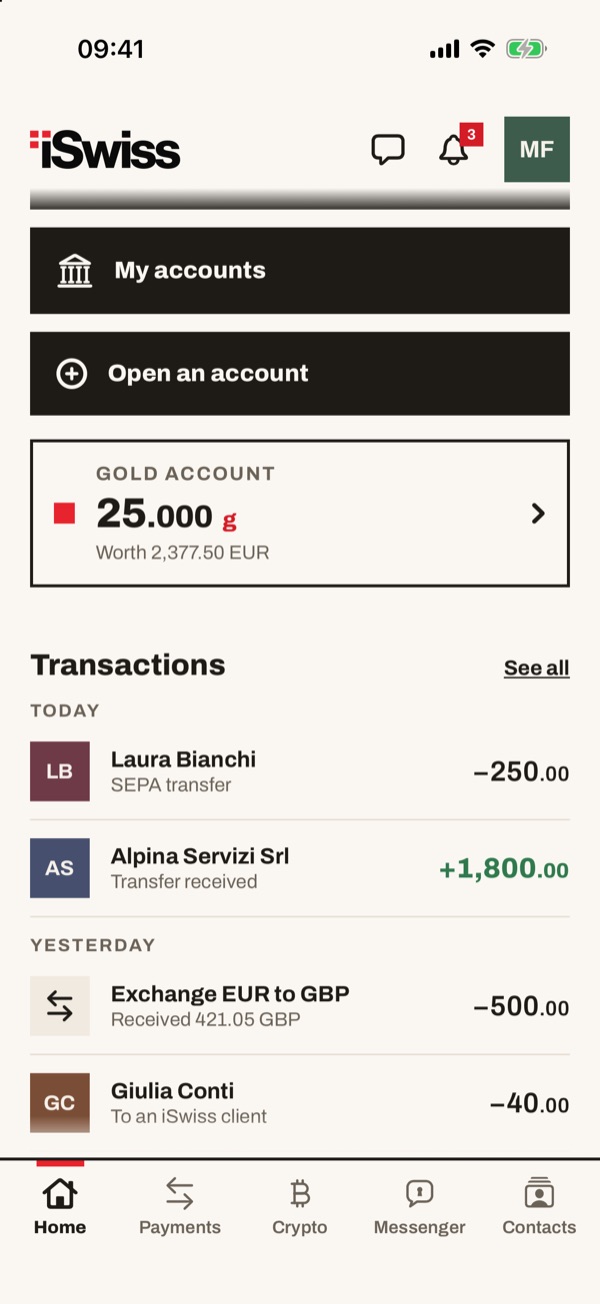
In Home tap the “Gold account” box: it shows the grams you have and how much they are worth in euros.
- 22
Tap “Buy”
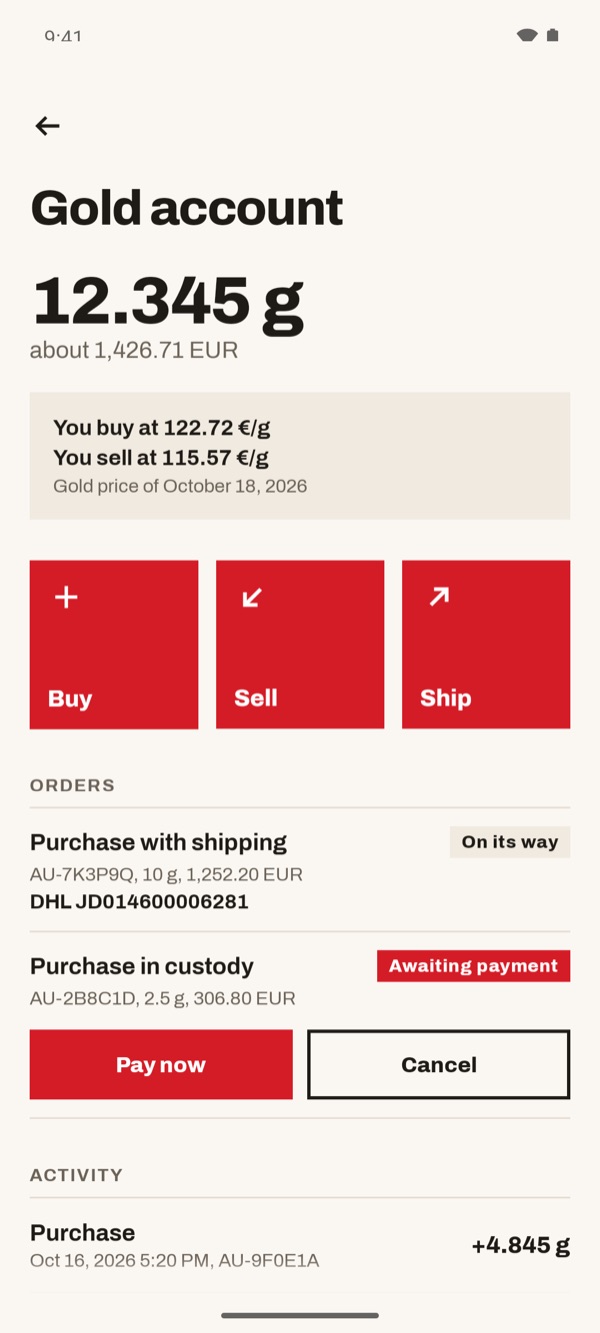
At the top you see the grams you have. In the box below you find the price you buy at and the price you sell at, with the date of the price. Further down are your “Orders” and your “Activity”. Tap the red “Buy” button.
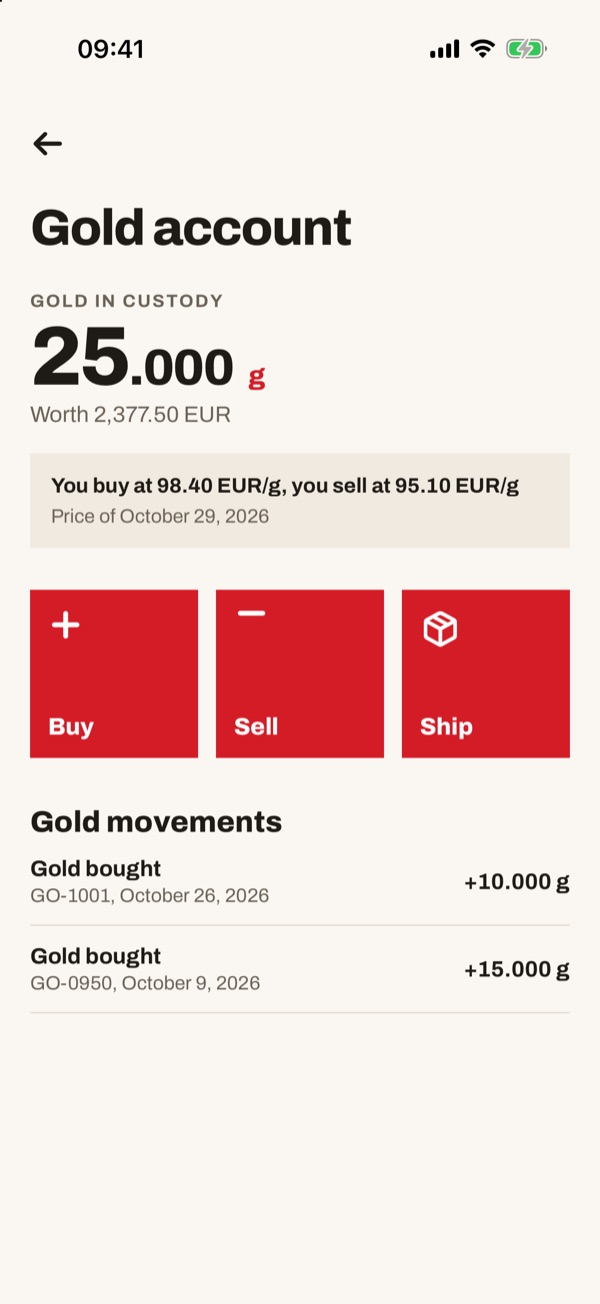
At the top you see the gold you have in custody. In the box below you find the price you buy at and the price you sell at, with the date of the price. Further down are your “Gold movements”. Tap the red “Buy” button.
- 33
Choose “In custody” and the account
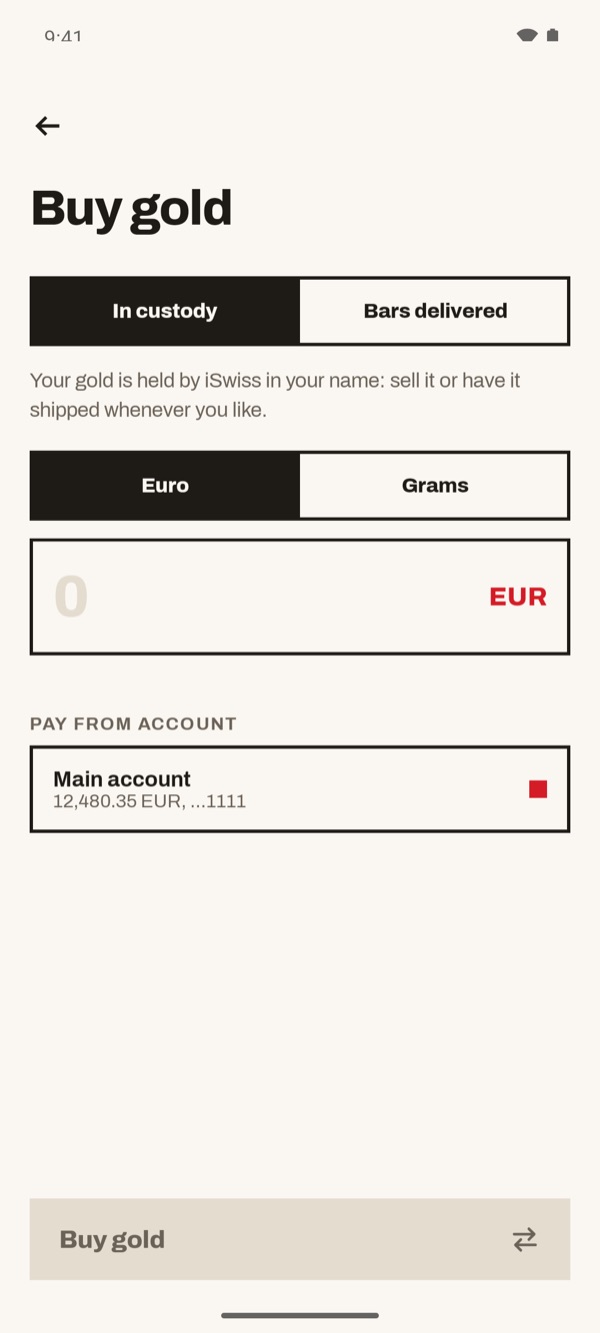
At the top leave “In custody” selected: the gold is held by iSwiss in your name, and you sell it or have it shipped whenever you want. Under “Pay from account” check the account you pay from.
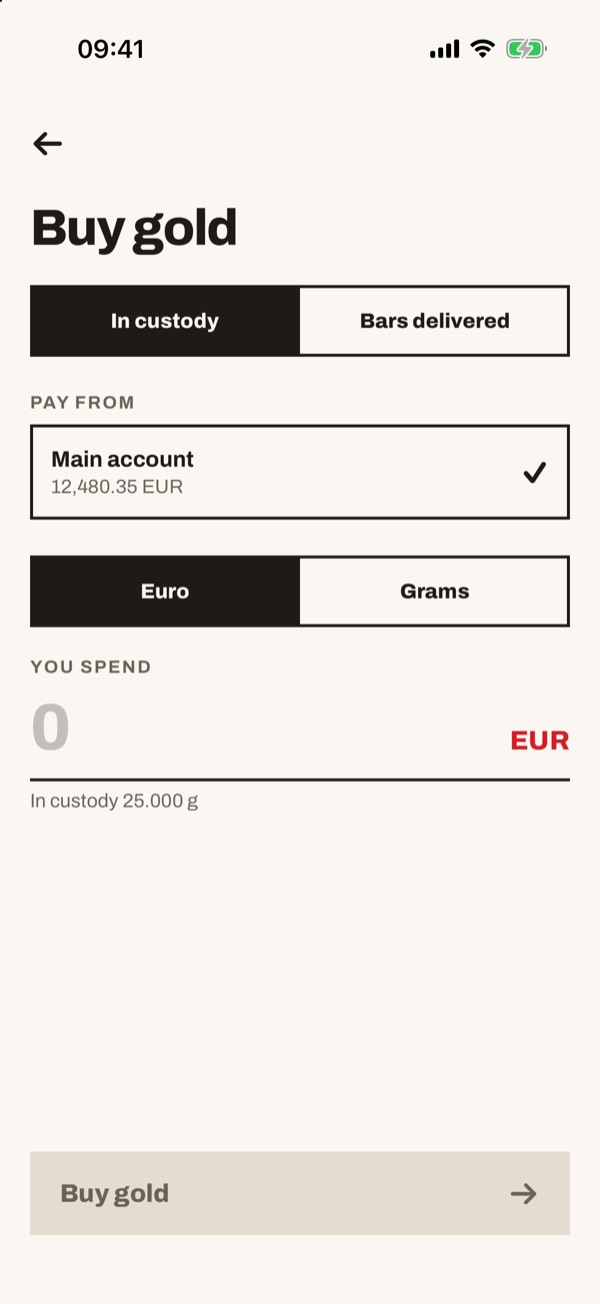
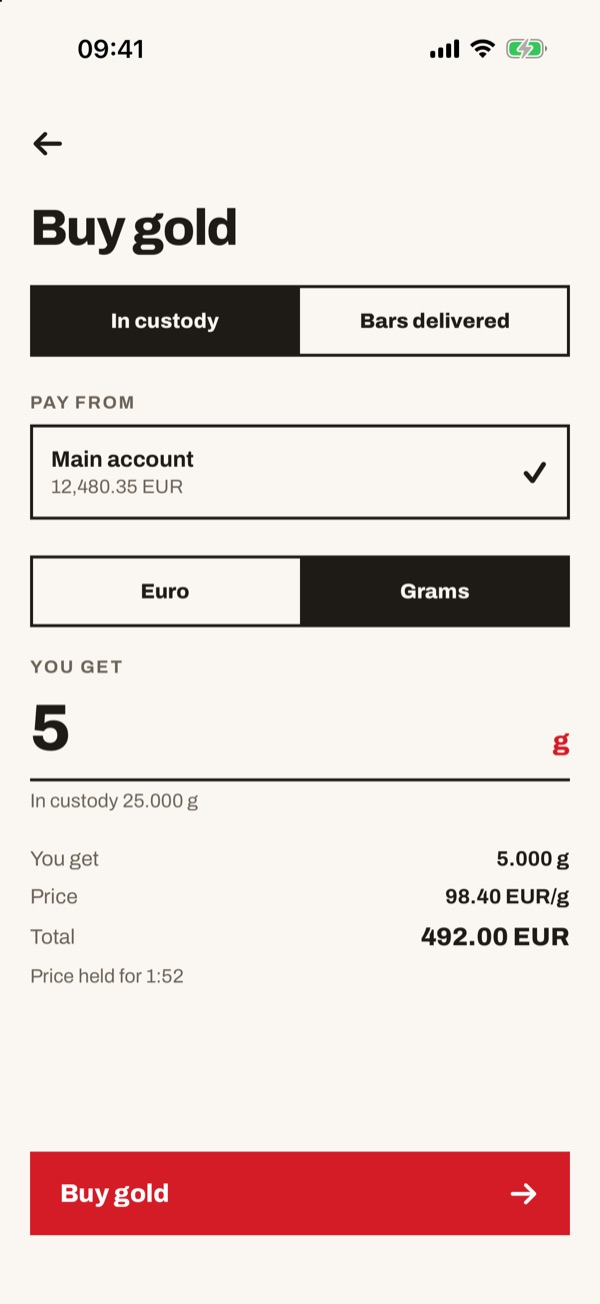
At the top leave “In custody” selected. Under “Pay from” check the account you pay from: the tick shows the one chosen. Below the amount field you see how much gold you already have in custody.
- 44
Type euros or grams
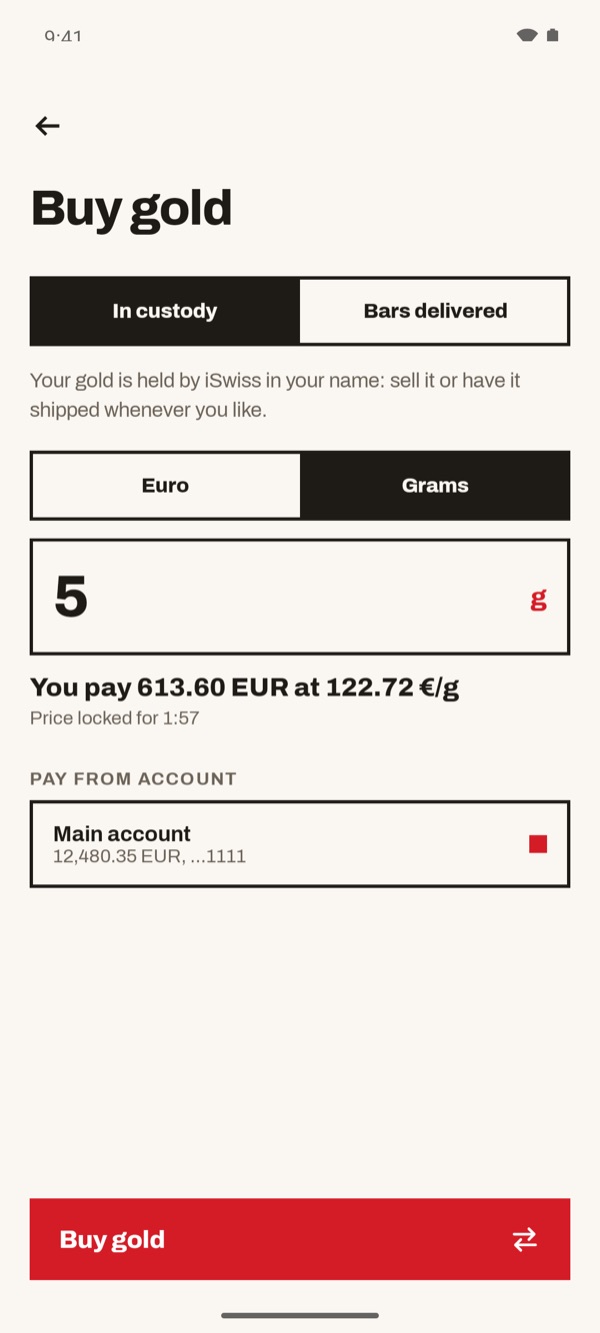
Tap “Euro” to say how much you want to spend, or “Grams” to say how much gold you want. Type the figure: the app shows the price per gram, how much you pay and how long the price stays locked. Then tap “Buy gold”.
Tap “Euro” to say how much you want to spend, or “Grams” to say how much gold you want. Type the figure: below appear “You receive”, “Price” and “Total”, and how long the price stays locked. Then tap “Buy gold”.
- 55
Gold bought
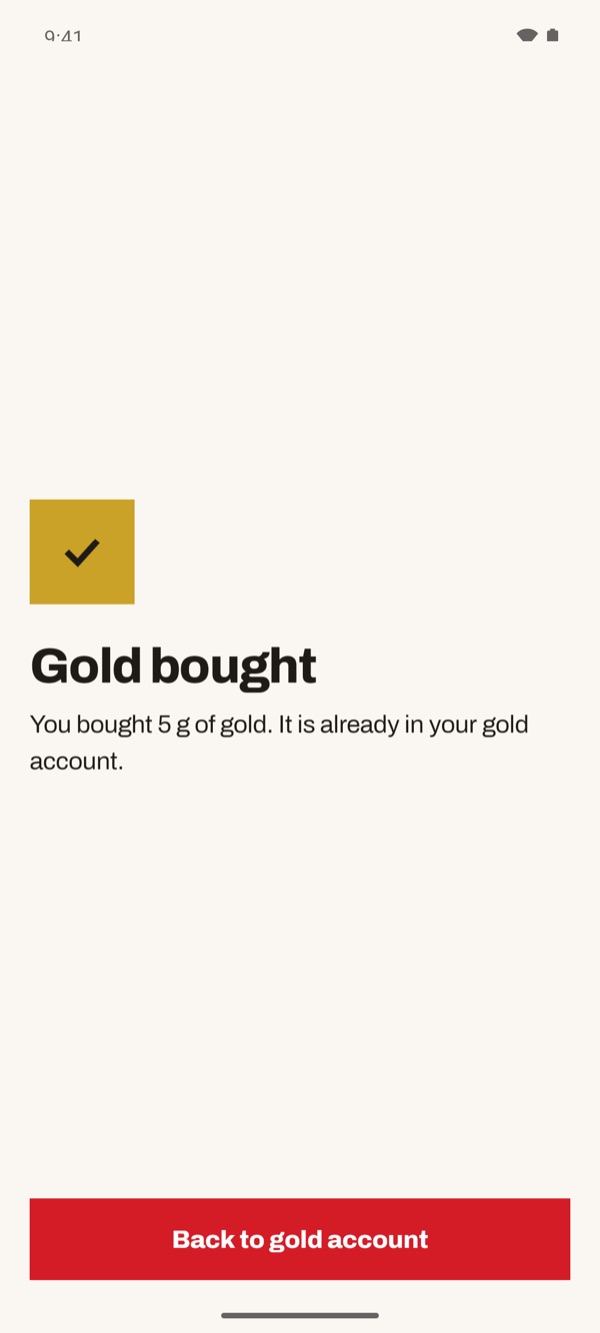
You see the “Gold bought” confirmation: the gold is already in your gold account. Tap “Back to gold account”.
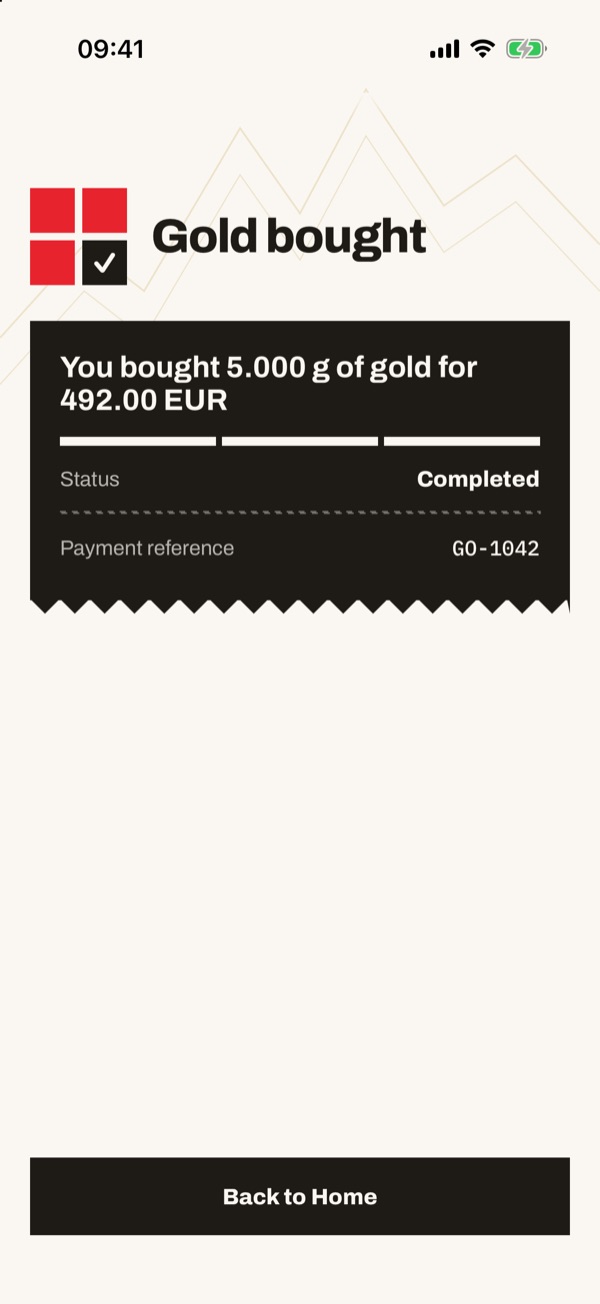
You see the “Gold bought” confirmation with grams, amount, status and reference of the operation. Tap “Back to Home”.
- 66
Bars delivered
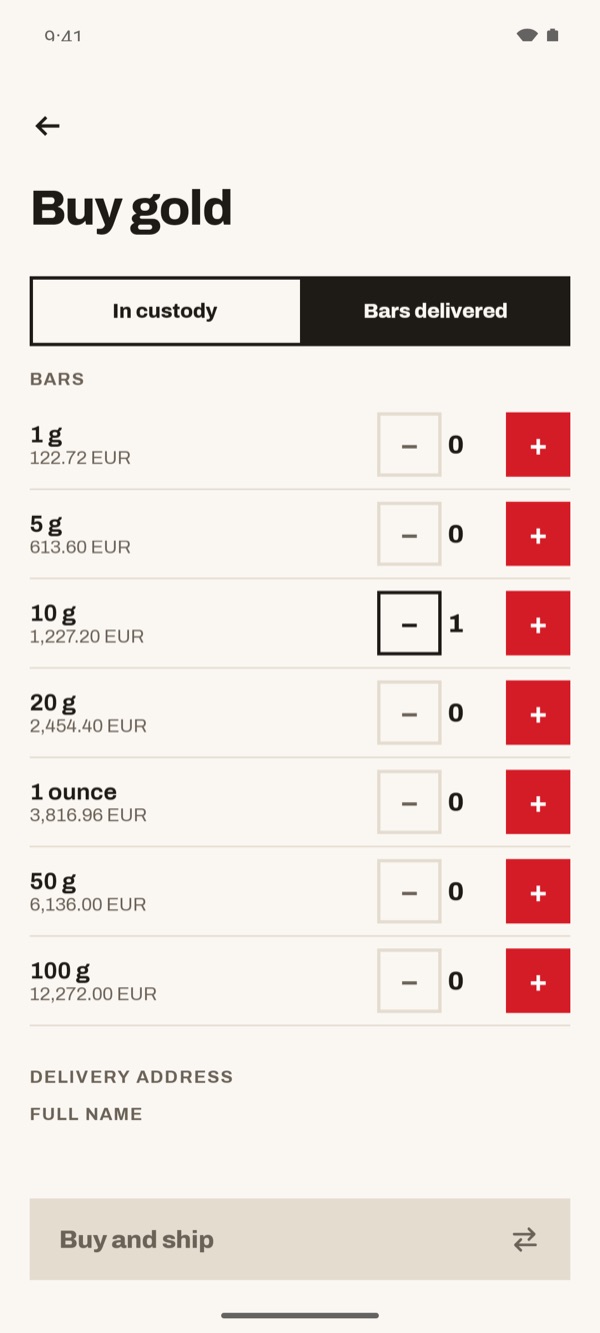
If you want the gold in your hands, on the “Buy gold” screen tap “Bars delivered”. Choose the bars with “+” and “−”: next to each size you see the price. Fill in the “Delivery address” further down and tap “Buy and ship”.
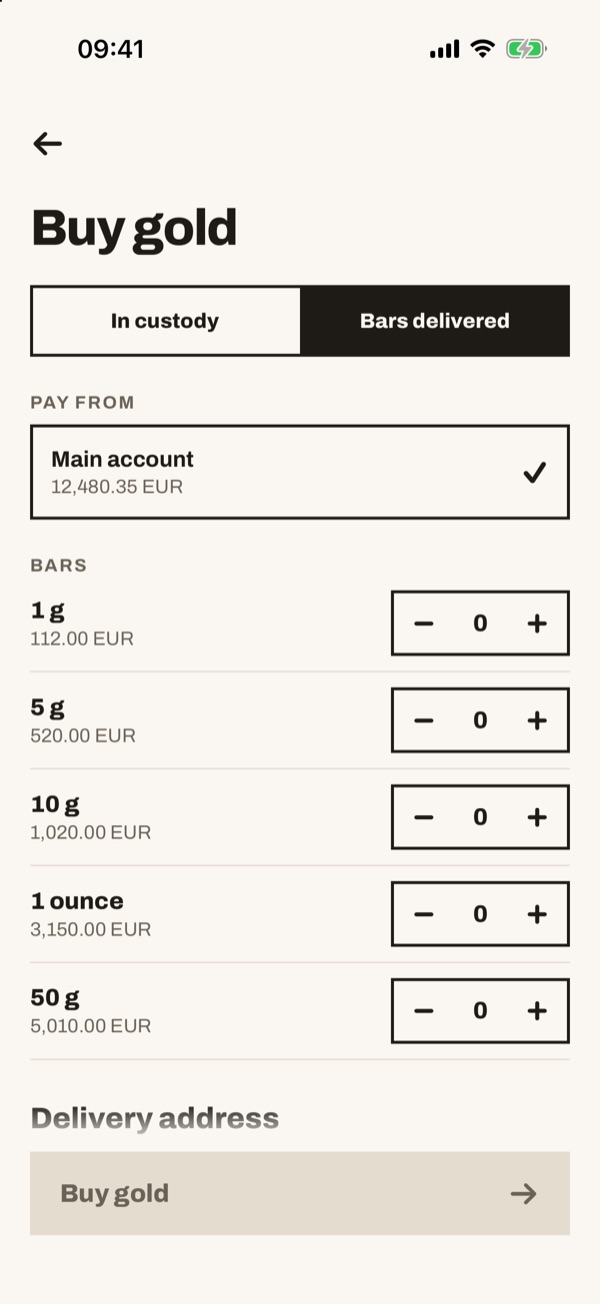
If you want the gold in your hands, on the “Buy gold” screen tap “Bars delivered”. Check the account under “Pay from”, choose the bars with “+” and “−” (next to each size you see the price), fill in the “Delivery address” and tap “Buy gold”.